


Your voice is all you need.
The right mic just makes it sharper.
Flow works with the mic you already have. But if you want even quieter dictation and fewer errors, the right hardware takes it further.

.webp)
Before you buy anything
Flow works great with the mic you already have. Most audio issues are configuration, not hardware. If you have wired earbuds or a webcam mic, try those first, wired beats WiFi beats Bluetooth, and closer to your mouth is always better.

Select your mic manually.
In Flow's mic picker, choose your mic directly instead of Auto-detect. If the volume bars move when you talk, your setup is working.

Set your system default.
Make sure your OS Sound settings and Flow agree on which mic to use. This is the most common source of Auto-detect issues.

Restart Flow after switching devices.
Plugged in a headset or swapped from Bluetooth to wired? Quit and relaunch so Flow picks up the change.

Disable virtual microphones.
Apps like NVIDIA Broadcast, VoiceMeeter, and Teams Audio can intercept your input and cause unexpected behavior.
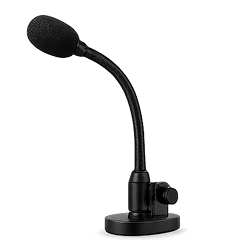
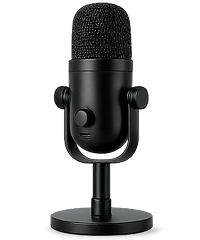
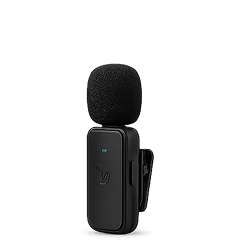
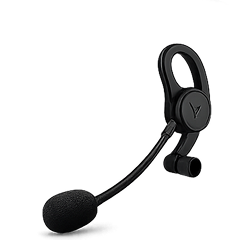
Which mic is right for you?


Frequently asked
Do I need extra hardware to use Flow?
No. Flow works great with just your Mac or iPhone's built-in mic. Everything on this page is optional. It's for people who want to optimize for specific situations like shared offices, clamshell mode, or hands-free triggers.
Where can I find more detailed mic comparisons?
We've tested 12 microphones head-to-head for dictation accuracy, whisper performance, latency, and setup friction. See our final recommendations iin our Microphone Guide in the Help Center.
I already have a headset or mic. Will it work?
Almost certainly. Any mic that sits near your mouth works well with Flow. Test what you have first. You can also take the Microphone Quiz in the Flow Hub to check if your setup is good for whispering.
Can I use Flow quietly in a shared office?
Yes. With a close mic (headset, gooseneck, or clip-on lav), you can whisper and Flow transcribes just as accurately as normal speech. Most coworkers won't even notice.
Can I use Flow with my laptop lid closed (clamshell mode)?
Yes, but you need an external mic. The built-in Mac mic is disabled when the lid is closed. Flow detects this and prompts you to switch. Any USB mic, headset, or Bluetooth device works.
What about AirPods or other bluetooth mics?
We don't recommend them for dictation. They can be slow to connect, may clip the first word, and produce more transcription errors than wired options. If you prefer earbuds, look for ones with a USB dongle (like the Jabra Evolve2 Buds or Sony INZONE Buds) so they bypass Bluetooth profile switching.
.webp)
Start flowing
4x faster than typing. Works wherever you can type.
Set up in under five minutes — no hardware required.

Free for 14 days.

