


Speak naturally. Send without editing.
Voice-to-text that turns messy speech into ready-to-send text in any app or website.
.png)



“People go from skeptical to instantly obsessed with Wispr.”


“Use Flow to stay ahead of the chaos.”

“Wispr Flow is the dictation upgrade Android users deserve.”

“I finally found an Android voice typing app that makes dictation effortless.”

Turn your voice into polished text
Just speak the way you think. Flow turns it into writing you can send.
Use it anywhere you write
Flow works wherever you’re already typing.

100+ languages
Speak naturally in the language you prefer.
Keep talking as you move between apps
Flow keeps up, even as you switch apps.

Flow edits as you speak
Clean, formatted text without extra effort.
Wispr Flow vs. built-in voice mode
Flow cleans up your text while you talk, so you can just speak it and send it.


1. It’s insanely fast
2. It’s insanely accurate
3. It fixes your mistakes
That’s what they mean when they say “Speak naturally. Send without fixing.”
Other Dictation
There are two ummm no wait. Actually three, things whisper does really well. It’s insanely fast. It’s insanely accurate and it fixes your mistakes. That’s what they mean when they say they say speak naturally send without fixing.
How people use Wispr Flow


Respond quickly without typing or reworking your words.

Dictate emails that sound polished and ready to send.

Capture ideas the moment they come to you. No keyboard required.
Frequently asked
What devices and Android versions are supported?
Flow supports Android OS 13 or newer on phones and tablets from all major manufacturers.
While Flow supports tablets and foldables, the experience is not yet optimized for these devices.
How much does Flow for Android cost?
See our Pricing page for full details.
Which features are available on Android?
Android supports the core Flow experience, including:
- Auto punctuation: Flow detects punctuation from pauses and tone. You can also say “comma” or “parentheses” for precision.
- Filler word removal: Automatically removes “um” and “uh.”
- Self-corrections: Say “Let’s meet at 4 pm, actually 3 pm” and Flow updates it in real time.
- Numbered lists: Say “1. Apples 2. Bananas 3. Oranges” and Flow formats it as a list automatically.
- 100+ languages: Dictate in Español, Português, Français, Italiano, ไทย, हिन्दी, 中文 and more. For best results, we recommend selecting your language(s) in Settings and using one language per dictation.
Additional features will be added in future releases.
What languages does Flow support?
Flow supports 100+ languages, including Español, Português, Français, Italiano, ไทย, हिन्दी, 中文, 日本語, 한국어, Русский, العربية, and more.
For best results, we recommend selecting your preferred language(s) in Settings and using one language per dictation.
Does Flow work offline?
No. Flow requires an internet connection to transcribe your speech using our fastest models.
Does Flow replace my Android keyboard?
No. Flow works alongside your existing keyboard. You can type normally at any time.
Does Flow work in all apps?
Flow works in most apps that use standard Android text fields. A small number of apps with custom input systems may not yet be supported.
Will settings from Desktop sync to Android?
If you’re logged into the same account, your subscription and account settings will sync.
However, transcript history will remain separate.
Feature availability depends on what is currently supported on Android.
How is Flow on Android different from iPhone?
On Android, Flow does not use a keyboard.
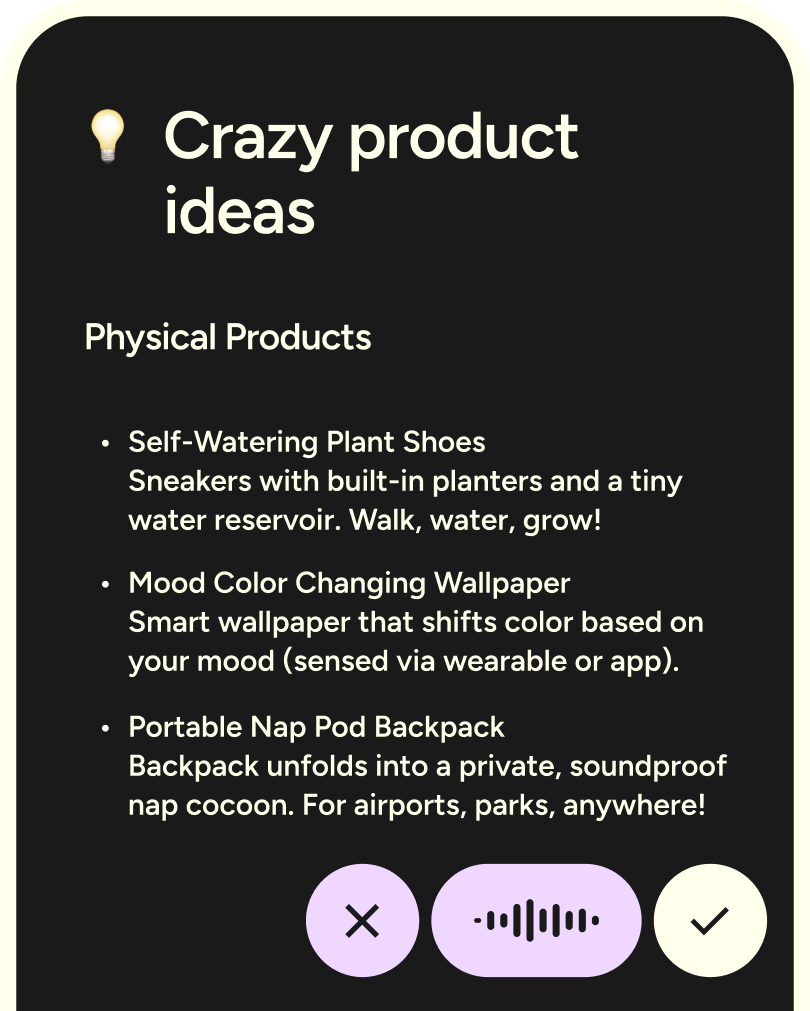
Instead, it appears as a floating bubble whenever you’re in a text field and disappears when you’re not. It works automatically across apps, detects text inputs, and doesn’t require switching keyboards.
Because Android allows deeper system-level access, Flow feels faster, more seamless, and more integrated than what’s currently possible on iPhone.
How is Flow on Android different from Desktop?
On Desktop, you activate Flow with a hotkey and dictate into any text field.
On Android, Flow appears as a floating bubble you can tap from anywhere. It runs on top of your apps and is optimized for fast, on-the-go communication.
The core dictation experience is the same.


On-the-go or at your desk
Flow is the only voice-to-text tool that works on any app or device, with your personal dictionary, style, and settings synced everywhere.
Download for free




.svg)
Flow, wherever you work
Flow runs natively on Mac, Windows, iOS, and Android. Use it at your desk for deep work, and on your phone when you're on the move.
.webp)
Write with your voice on Android
Download Flow and turn speech into clear writing wherever you are.

