Wispr Flow Notetaker is here

.png)
Nobody reads meeting transcripts. But everyone acts on them. The transcript feeds the summary, the summary feeds the follow-up email, the recap goes to whoever missed the call. You've learned to give the notes a quick once-over before trusting them, because sometimes a name is wrong or an action item lands on the wrong person.
At most, people skim, spot whatever looks off, and fix it by hand. But skimming only catches the obvious mistakes. It's the ones that look fine on the page that survive, and they get caught later, often in front of someone else. A customer quote that's garbled and unusable. A summary that gets the details wrong. A follow-up assigned to the wrong person.
And increasingly, nobody is reading them at all. Meeting notes now flow straight into the tools that draft the follow-up, update the CRM, and field the questions that come later. When a person was doing that work, a wrong name or a misattributed line had a chance of getting caught. When software does it, the error just travels, and it arrives somewhere with your name on it.
That’s what we set out to fix. Today we’re launching Wispr Notetaker, our first product beyond dictation. It captures your meetings, gets the words and the speakers right, and pulls out what actually mattered afterward: the key dates, the decisions, the next steps, and who owes what.
Great meetings need context
For the notes to be right, the accuracy has to be there before the notes ever reach you. So Notetaker walks in with context before the meeting even starts.
It carries the personal dictionary you’ve built up in Wispr Flow, so your acronyms, product names, and preferred spellings follow you into your meetings. And it draws on the apps you connect, like Slack and your calendar, to understand what this particular conversation is about.
Here's an example. Three lines, three names, and endless opportunities for things to go off the rails.
.png)
The names come from the invite, the acronym from this user's dictionary, and each line sits with the person who actually said it. None of that required anyone to check it afterward.
You get a live transcript that keeps up while people are talking, and when the meeting ends, Notetaker re-reads the entire recording with additional context, so the final transcript, and everything built on top of it, comes out sharper.
Built for the way your day actually runs
Notetaker joins your meetings with a single click. There's nothing to invite and nothing to schedule, so it keeps up with back-to-back meetings, spontaneous huddles, and everything in between:
- Works wherever your meetings happen: Zoom, Google Meet, Teams, even a Slack huddle
- Hands off cleanly when you jump straight from one call into the next
- Captures the conversations that weren’t on your calendar with a single tap
- Briefs you before each meeting, drawing on your own notes and the web, with every line linked to its source
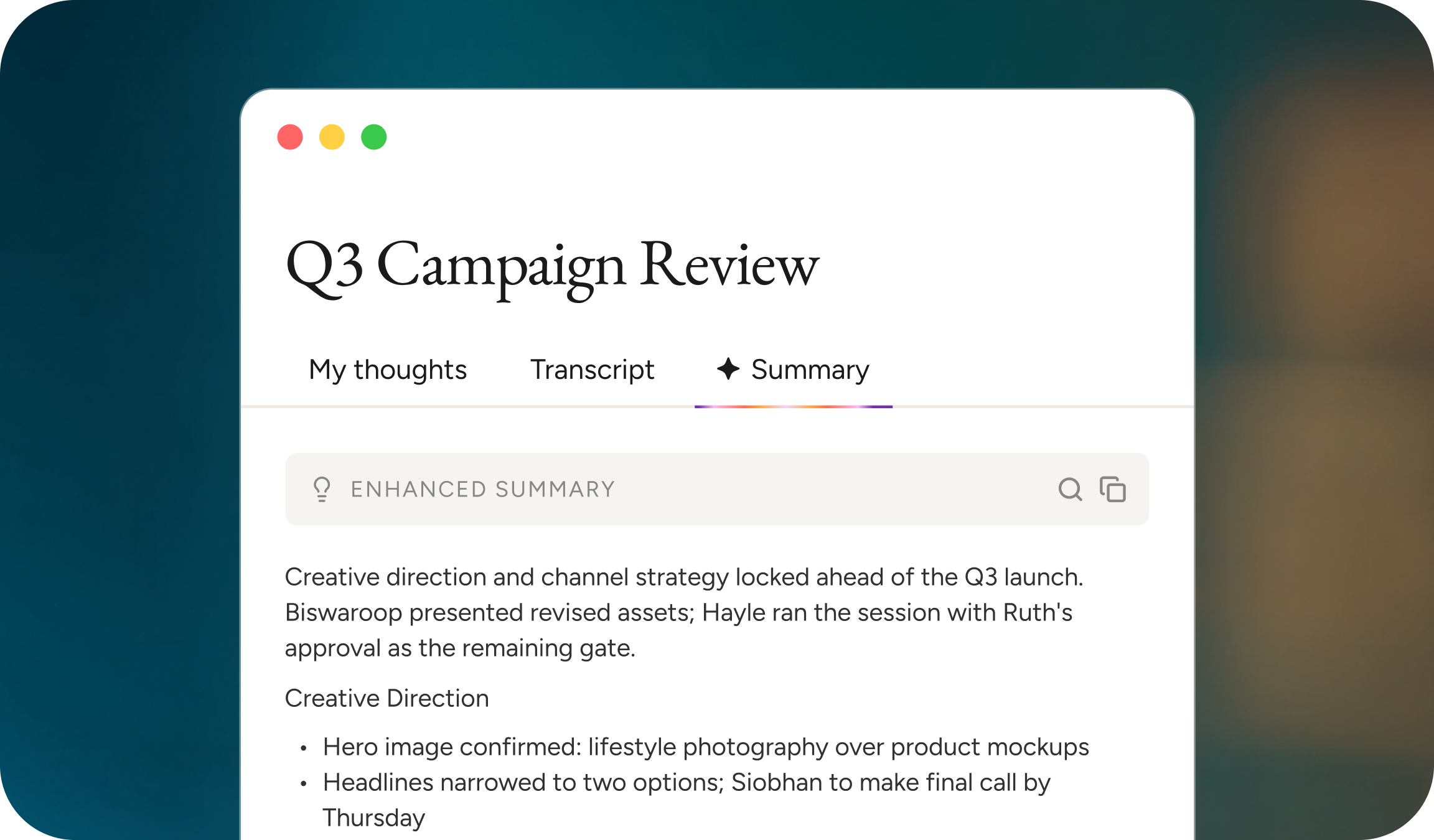
- Summarizes afterward by topic, with the decisions and who owes what
- Answers questions across your whole meeting history, linked back to the moment they came from
- Catches you up on what you missed if your attention drifts
And none of it is stuck inside Notetaker. Every transcript, summary, and note can be pulled into Claude, ChatGPT, or the agents and workflows your team has built via MCP.
Dictation was the starting point
Notetaker is the first product we have built beyond dictation, and it is part of our broader mission to reshape how we interact with our devices. We recently launched the Wispr Advanced Interfaces Lab to work on what we think is now the central problem in AI. The intelligence is largely there. What is missing is the interface layer that understands what a person means from everything around them rather than from their words alone.
Voice sits at the center of everything we build, and dictation was the first step in the shift to a better way of working. With Notetaker, the conversations you have all day become something you can actually use.
So here is our challenge to you. Keep whatever you use today and run Notetaker beside it on your next meeting. Read both, and keep the one that got it right.
Wispr Notetaker is available today on Mac and Windows.
.jpg)