Top 10 dictation tools December 2025

TLDR: The best dictation software in 2025 combines accuracy, speed, and universal app support. Wispr Flow leads with AI-powered voice typing that works across every platform at 95%+ accuracy. We tested the top voice typing tools and speech to text software to find which dictation apps actually deliver on their promises for professionals, students, and creators.
Voice typing has finally become reliable enough to replace keyboards for many tasks. The technology that felt clunky and error-prone just a few years ago now offers accuracy rates above 95 percent, thanks to advanced AI models and improved speech recognition.
But not all dictation software is equal. Some work only in specific apps. Others require constant corrections. Many sacrifice accuracy for speed or privacy for functionality.
We tested the leading dictation tools available in December 2025 to identify which ones actually deliver on their promises. This guide evaluates accuracy, speed, platform support, features, and value to help you choose the right voice typing tool for your workflow.
What makes great dictation software
Before diving into specific tools, here's what separates excellent dictation apps from mediocre ones:
Universal app support: The best dictation software works everywhere you need to write, not just in specific applications. Email, documents, messaging, code editors, all should support voice typing without switching tools.
High accuracy: Dictation software should achieve 95 percent accuracy or higher out of the box. Lower accuracy means spending more time correcting errors than you saved by not typing.
Natural speech processing: Great voice typing tools understand context, handle technical terminology, and recognize when "their" versus "there" is correct based on meaning.
Speed and responsiveness: Transcription should feel instant. Delays between speaking and seeing text break your flow and make dictation frustrating.
AI-powered formatting: Modern dictation apps should automatically add punctuation, capitalize properly, and format text based on context without manual input.
Privacy and security: Voice data contains sensitive information. Look for tools with strong encryption, compliance certifications, and clear data policies.
1. Wispr Flow: best overall dictation software
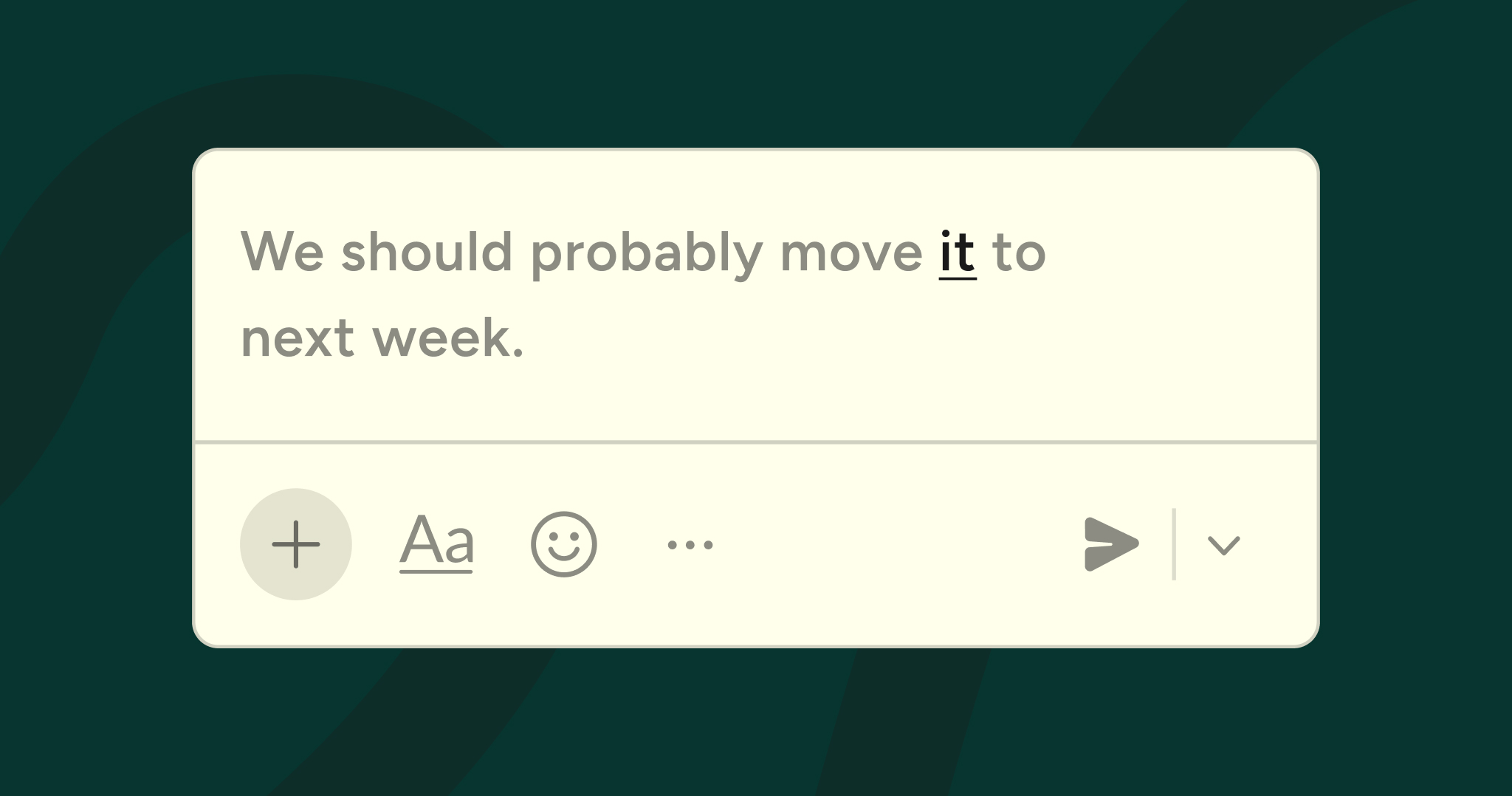
Wispr Flow sets the standard for modern voice typing. It works universally across Mac, Windows, and iOS, delivering 95%+ accuracy with AI-powered formatting that understands context.
Why Wispr Flow wins: Unlike competitors limited to single platforms or specific apps, Flow works everywhere. Speak in Gmail, and it formats professionally. Speak in Slack, and the tone becomes conversational. Speak in Cursor or VS Code, and it recognizes code syntax and variable names.
The AI engine processes over 500 language patterns per second, handling technical terms, names, and mixed-language speech accurately. Flow's developer jargon recognition understands programming terminology automatically, making it the best dictation software for technical work.
Key features:
- Universal voice-to-text across every application
- AI-powered edits and formatting that clean and structure spoken input
- Custom dictionary that learns unique words, names, and technical language
- Saved snippets for voice shortcuts to insert full links, code, or text blocks
- Variable recognition in Cursor, Windsurf, and GitHub supporting camelCase, snake_case, and acronyms
- File tagging by voice to reference specific files in Cursor and Windsurf
- Context-rich prompting for detailed AI prompts by speaking instead of typing
- SOC 2 Type II and HIPAA compliance for enterprise security
- Support for 100+ languages with context-aware translation
- Works in whisper mode for quiet environments
Pricing: Flow free plan with 2,000 words per week. Flow Pro costs $15 per month or $144 annually, offering unlimited dictation and advanced features. Flow Pro for students is $10 per month. Teams and enterprise plans available with additional security and collaboration features.
Best for: Professionals who need dictation everywhere they work. Developers, executives, content creators, remote teams, and anyone whose workflow spans multiple apps.
Why it's number one: Wispr Flow is the only dictation tool that combines universal app support, enterprise-grade security, developer-focused features, and consistently high accuracy. It's not just voice typing. It's a complete voice-first productivity platform.
2. Willow Voice: best for Mac users seeking speed
Willow Voice is a YC-backed dictation app focused on fast, accurate transcription across Mac and iOS. It offers 40%+ better accuracy than built-in dictation tools and works in under one second.
Strengths: Willow processes voice quickly with minimal latency. The app learns your speaking style and vocabulary over time, adding terms to your custom dictionary automatically. It supports 100+ languages and works system-wide across Mac applications.
Privacy-focused design ensures your voice and text data stay secure. The app includes a Willow Assistant feature for AI-powered text transformation. Works in quiet mode for shared spaces.
Limitations: Mac and iOS only, no Windows support. Newer entrant compared to more established platforms. Some users report occasional translation issues when dictating in non-English languages with fast dictation mode enabled.
Pricing: Free trial with 2,000 words. Paid plans start at $15 per month.
Best for: Mac users who want fast dictation with strong privacy protections and responsive support.
3. Monologue: best for Every subscribers
Monologue is Every's voice dictation app for Mac that writes the way you talk. It understands your vocabulary, apps, and style, offering flexible modes for different contexts.
Strengths: Supports 100+ languages with ability to switch between them mid-sentence. Includes custom modes that adjust dictation behavior for specific apps like Slack, Notion, or coding tools. Smart formatting with italics and bold based on context.
Deep context awareness uses screen information to improve accuracy. Local model support enables offline transcription without cloud processing. Clean, minimal interface with gamified stats showing usage, time saved, and speaking speed.
Limitations: macOS only, no Windows, iOS, or web versions. Part of Every bundle ($30/month) or standalone purchase at early-bird pricing of $10/month. Lacks enterprise compliance certifications and team collaboration features.
Pricing: Included in Every subscription at $30/month with access to Cora, Spiral, and Sparkle apps. Standalone option available. Free trial up to 1,000 words.
Best for: Mac users already subscribed to Every, or those who want a clean, privacy-focused dictation app with local processing options.
4. Aqua Voice: best for ultra-fast real-time dictation
Aqua Voice delivers lightning-fast voice dictation for Mac and Windows, powered by Avalon, their proprietary transcription model. It starts in under 50 milliseconds with text insertion in as little as 450ms.
Strengths: Industry-leading speed with Instant Mode (200ms start, 450ms paste) and Streaming Mode (850ms response). Context awareness uses system accessibility APIs to identify relevant words in active applications. Custom dictionary supports up to 800 words/phrases without pronunciation tuning.
Natural language style instructions like "use lowercase in iMessage" or "break into paragraphs." Scored 3.2% WER on Librispeech clean, significantly better than competitors. Works across Mac and Windows.
Limitations: Processing occurs online in the cloud, not locally. Floating text box interface can feel discordant compared to direct app dictation. Lacks some advanced navigation features. Requires keystrokes to start and paste.
Pricing: $10 per month with continual updates and responsive support.
Best for: Users prioritizing speed above all else, especially for coding and technical work. Those comfortable with cloud processing.
5. VoiceInk: best open-source dictation for Mac
VoiceInk is an open-source native macOS application providing fast, private, and efficient dictation using local AI models. It achieves up to 99 percent accuracy with complete offline processing.
Strengths: 100% offline processing ensures complete privacy with data never leaving your device. Open-source transparency allows code inspection. Power Mode automatically detects active application and applies preferred settings.
Context-aware AI understands screen context for relevant transcriptions. Includes AI assistant mode for quick answers. One-time purchase model with no subscription. Smart text replacements and custom templates.
Limitations: Requires macOS 14 (Sonoma) or later and Apple Silicon chips. Powerful Mac needed (16GB RAM recommended). Mac-only, no Windows or iOS support. Lacks translation and audio file transcription features.
Pricing: Free to build from source. Paid license at $25 one-time for convenience build with automatic updates and priority support.
Best for: Privacy-conscious Mac users who want complete local processing and support open-source software.
6. Apple Dictation: best free option for Apple users
Apple's built-in dictation comes free with every Mac, iPhone, and iPad. Starting with macOS Sequoia and iOS 18, Apple Dictation integrates with Apple Intelligence for significantly improved accuracy.
Strengths: Completely free with no subscriptions. On-device processing on Apple Silicon Macs provides privacy advantages. Works across all native Mac and iOS apps with simple activation.
Integration with Voice Control adds editing and navigation capabilities beyond basic dictation.
Limitations: Accuracy lags behind dedicated dictation software. Limited customization options. Works best within Apple's ecosystem but less well in third-party apps and browsers.
Pricing: Free, included with all Apple devices.
Best for: Budget-conscious Apple users who need basic dictation without additional software purchases.
7. Google Docs Voice Typing: best free browser-based option
Google Docs includes voice typing at no cost, working directly in your browser. It's simple, accessible, and requires no installation.
Strengths: Completely free. Works on any device with Chrome browser access. Simple activation through Tools menu or keyboard shortcut. Automatic saving to Google Drive ensures dictated content is backed up.
Limitations: Only works in Google Docs, not universally across apps. Accuracy is acceptable but not exceptional. Limited formatting intelligence compared to AI-powered alternatives.
Pricing: Free with Google account.
Best for: Students, casual users, or anyone who primarily works in Google Docs and wants free voice typing.
8. Windows Voice Access: best free option for Windows
Windows Voice Access, built into Windows 11, provides free voice typing and voice control across the operating system.
Strengths: Free for all Windows 11 users. Works across Windows applications. Includes voice navigation and app control beyond just dictation. On-device processing protects privacy.
Limitations: Requires Windows 11, not available on older versions. Accuracy is decent but not exceptional. Less sophisticated than dedicated dictation software.
Pricing: Free with Windows 11.
Best for: Windows 11 users who want free system-wide voice control and basic dictation.
9. Otter.ai: best for meeting transcription
Otter.ai specializes in real-time meeting transcription with speaker identification and AI-generated summaries. It's designed for capturing conversations rather than personal dictation.
Strengths: Excellent at transcribing multi-person conversations. Identifies different speakers automatically. Generates AI summaries and action items from meetings. Works with Zoom, Google Meet, and Microsoft Teams.
Real-time transcription shows text as people speak, valuable for accessibility and note-taking.
Limitations: Designed for meetings, not ideal for personal dictation workflows. Free plan limits monthly transcription minutes. Not a universal voice typing tool for writing across different apps.
Pricing: Basic plan is free with limited minutes. Pro plan is $16.99 per month. Business plans start at $30 per user per month.
Best for: Teams and professionals who need automatic meeting transcription and AI summaries.
10. Dragon Professional Individual: best for Windows desktop power users
Dragon has been the gold standard in dictation software for decades. Dragon Professional Individual offers exceptional accuracy that improves as it learns your voice.
Strengths: Achieves up to 99 percent accuracy out of the box and gets better over time. The software learns your speaking patterns, vocabulary, and writing style. Excels at handling custom terminology through extensive vocabulary training.
Deep customization with ability to create voice shortcuts for repetitive tasks. Professional-grade solution for specialized industries.
Limitations: Windows-only, Mac version was discontinued. Requires installation and works primarily within desktop applications rather than universally across all apps. More expensive than subscription-based alternatives.
Pricing: $155 one-time purchase for Dragon Home. Professional plans start at $116 per year per user.
Best for: Windows users who need the absolute highest accuracy for professional long-form writing, especially in legal, medical, or academic fields where specialized vocabulary matters.
The future of voice typing
Dictation software has reached a tipping point. Accuracy is high enough that voice typing is faster than keyboards for many tasks. AI integration makes formatting and editing possible by voice. Platform support means you can dictate anywhere.
The typing barrier is disappearing. Voice is becoming a primary input method, not an accessibility feature or niche tool.
Wispr Flow leads this transformation by making voice typing universal, intelligent, and seamlessly integrated into every workflow. As AI capabilities advance, the gap between speaking and typing will only widen in favor of voice.
Try the best dictation software
The best way to find your ideal dictation tool is to try it. Most offer free trials or free plans that let you test accuracy and workflow fit before committing.
Start with Wispr Flow's free plan for 2,000 words per week. Experience universal voice typing that works everywhere you need to write. See how AI-powered dictation transforms your productivity when the tool actually understands context and intent.
Try Wispr Flow free and discover what modern voice typing can do.



.jpg)