




Don’t type,
just speak.
The voice-to-text AI that turns speech into clear, polished writing in every app.







4x faster than typing
Voice that finally works is here. Flow lets you create, code, message, and write at the speed of thought, 4x faster than your keyboard.
.webp)


Speak at the speed you think, in every app,
on every device.
Speak naturally
Flow edits as you speak
Use it anywhere
Built around how you work, not how we think you should.
Your voice stays yours.
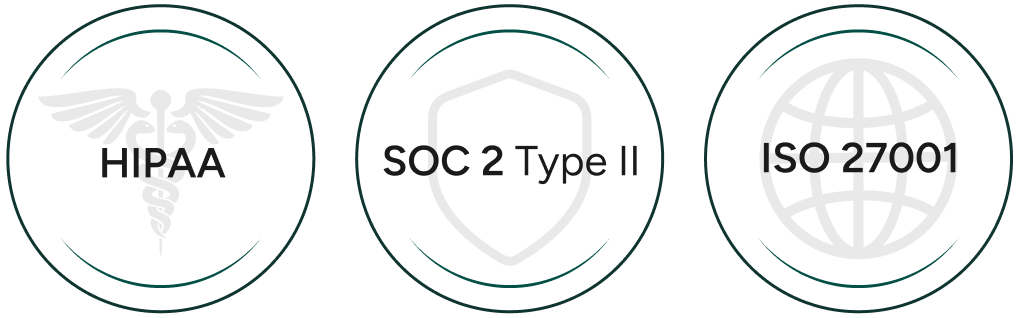
Your data is never sold. You choose whether data is used to help improve Flow. SOC 2 Type II, HIPAA and ISO 27001 certified.

“The thought I have becomes my explanation. The gap between my thought and my delivery of my idea collapses.”
.webp)
output
hours/day
“If you find it tiring to write long emails, or just need something quick to note down an idea in the heat of the moment — but typing it all feels like a drag — this app is a Godsend for you.”
.webp)
“Wispr Flow is a top 3 favorite AI tool for me. I literally do not use my fingers to type anymore.”
“I feel like I have no time to type anymore. So I just talk to my phone and my laptop all the time.”
.webp)
“Wispr Flow just gets it right. It is consistently so much better than the standard voice input, it'll blow your mind.”


“Wispr Flow is a top 3 favorite AI tool for me. I literally do not use my fingers to type anymore.”
.webp)
“Wispr Flow's dictation has always felt like magic. With Notetaker, that magic has gone multiplayer with no extra setup, perfectly formatted notes, and summaries that are actually useful.”

Good questions.
Questions
Yes. Flow types wherever your cursor is, so it works in every app on your computer with no setup or integrations. Gmail, Slack, iMessage, Notion, your terminal, your code editor, and AI tools like ChatGPT, Claude, and Cursor. If you can type there, you can Flow there.
Built-in dictation transcribes what you say, word for word, including every "um," false start, and mid-sentence correction. Then you spend time cleaning it up. Flow uses the most advanced voice technology available to turn what you say into what you meant to write.
What that looks like in practice:
- Catches your corrections. Say "let's meet at 5... actually 6pm" and built-in dictation writes all of it. Flow gives you "Let's meet at 6pm."
- Formats as you speak. Numbered lists, paragraphs, structured emails. Built-in dictation gives you a wall of text; Flow gives you something ready to send.
- Gets uncommon names and terms right. Flow uses your personal dictionary and context to nail names, acronyms, and jargon, and it gets more accurate the more you use it.
- Works everywhere. Siri only works on Apple devices. Google voice typing has improved its cleanup, but the best version is limited to the Google ecosystem and the newest devices. Flow is one tool with the same accuracy and personalization in every app, on every device.
See the full comparison, with side-by-side examples, on our Why Flow page.
Yes, Flow supports 100+ languages.
For the best accuracy, select the specific language you're speaking at that moment rather than relying on auto-detect. If you switch between languages during the day, the language picker lives right in the Flow bar, so changing is one click away. See using Flow with multiple languages for how to set it up.
Yes. Flow is built to handle a wide range of accents and speaking styles. One tip that makes a real difference: select only the language you're speaking right now, and deselect the others.
If you speak English with a French accent, having both English and French selected can confuse Flow about which language it's hearing.
Selecting just English while you're speaking English gives you noticeably better accuracy, and when you switch to French, changing languages is one click in the Flow bar. See using Flow with multiple languages for more information.
Flow keeps up with fast talkers and can handle speech as quiet as a whisper. The main thing that matters is your microphone setup: your built-in mic works great, and the closer the mic is to your mouth, the quieter you can speak.
We recommend against AirPods and other Bluetooth earbuds for dictation, since they compress audio and can miss the start of what you say. See our microphone guide for the full rundown.
No. Your built-in microphone is all you need. If you want to dictate very quietly or in loud environments, a mic closer to your mouth helps, and our microphone guide covers the best options.
One note: AirPods and Bluetooth earbuds are the one setup we'd avoid, since they tend to hurt accuracy.
We never sell your data. You can manage data-sharing preferences in Settings > Data and Privacy. See Data Controls for details.
Flow is independently certified to the world's top security standards: SOC 2 Type II, ISO 27001, and HIPAA compliance. For more information, visit our Privacy page.
Yes. Flow's is free, with no trial countdown or credit card required, for 2,000 words per week.
If you want unlimited dictation, upgrade to Flow Pro. For more information, visit our Pricing page.
Yes, and there are two ways to do it.
Flow Pro for Teams gives everyone unlimited dictation under one plan, with centralized billing and an admin portal to manage seats.
Flow Enterprise adds the things larger organizations need: enforced SSO, admin-controlled data retention and privacy policies, audit logs, and bulk pricing.
Most teams start with Pro for Teams and move to Enterprise as they grow. Learn more on our Business page, or see the full plan comparison in our Help Center.
Yes. Wispr Notetaker is Wispr Flow's AI Notetaker and meeting assistant. It records meetings on your Mac or Windows computer, then gives you a transcript with speakers named, a summary organized by topic, and next steps. It works on Zoom, Google Meet, Microsoft Teams, Slack huddles, and in-person meetings. Learn more on the Notetaker page.
Yes. One Wispr Flow subscription includes both Flow dictation and Notetaker, and both are available on the free plan. Upgrade to Flow Pro for unlimited use. See the Pricing page for plan details.
Answer
{{FAQ Answer}}
{{FAQ Answer}}
{{FAQ Answer}}
{{FAQ Answer}}
{{FAQ Answer}}
{{FAQ Answer}}
{{FAQ Answer}}
{{FAQ Answer}}
{{FAQ Answer}}
{{FAQ Answer}}
{{FAQ Answer}}
{{FAQ Answer}}
{{FAQ Answer}}


Talk thoughts into writing with Flow and conversations into meeting notes with Notetaker. Both are now included in one subscription.

