




The 6 best bot-free AI notetakers in 2026, compared

Bot-free AI notetakers record meetings without sending another participant into the call. That keeps meetings from feeling staged, avoids awkward bot behavior, and makes it possible to transcribe in-person conversations too.
The strongest options in 2026 are Wispr Flow Notetaker, Granola, Fathom, Fireflies.ai, Otter.ai, and Krisp. The biggest differences are where they can record, how well they identify who said what, and what happens to the meeting record afterward.
The best bot-free AI notetakers compared
How we compared the best bot-free AI notetakers
Four things decide whether a bot-free notetaker works well in practice: where it can record, whether it can tell you who said what, what you actually get for free, and how useful the meeting becomes afterward.
We tested each product firsthand and checked current product documentation, help centers, and pricing pages for details such as platform support, limits, and speaker identification. We also reviewed G2 reviews and social conversations to see where users consistently praise the products or run into problems, regarding all as firsthand experiences and not product-wide facts. Pricing and availability were verified in October 2026.
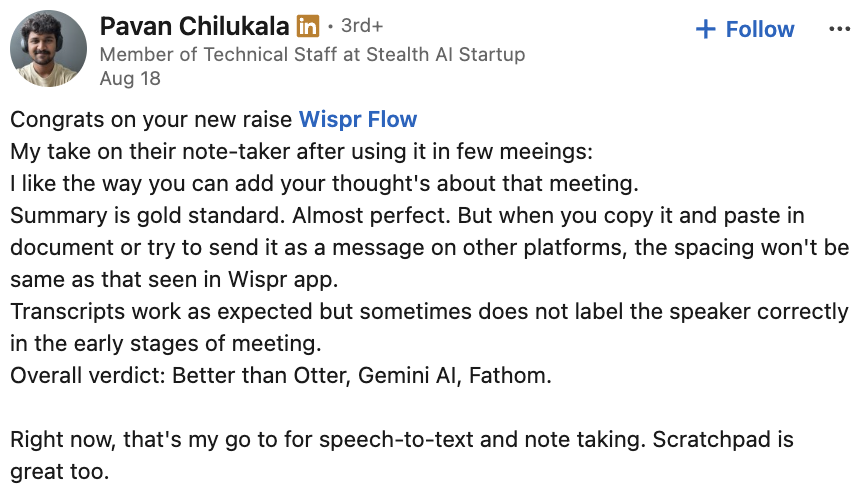
1. Wispr Flow Notetaker: best bot-free AI notetaker overall
Most of what an AI notetaker does depends on getting the transcript right. The summary, action items, follow-up email, meeting search, and answers to later questions all inherit what the transcript captured. If a customer said $32,800 and the transcript says $32,080, a better summary doesn't help.
The engineers at Wispr Flow prioritized accuracy when designing our voice-to-text tool, and now they bring that focus to our AI notetaker.
Wispr records directly from your device on Mac and Windows, so no bot joins the call. You get a live transcript during the meeting, then Wispr runs a second pass afterward when it has the whole conversation to work with.
Wispr can use context including your calendar, names and terminology in your personal dictionary, and the rest of the transcript to improve the final record. That is particularly useful for coworkers' names, company names, acronyms, product terminology, and jargon.
During the meeting, speakers can initially appear as “You” and “Them.” Afterward, Wispr uses additional context to identify speakers by name where it can. If someone is still unidentified, you can correct the speaker and apply that correction across the transcript.
Post-meeting, your transcript becomes action-oriented summaries
Wispr's meeting record is searchable, and you can ask questions about one meeting or across meetings. Notes can also be used through MCP in tools including Claude and ChatGPT.
Wispr Flow includes AI dictation across your other apps, so you can also dictate a follow-up after the meeting without switching to another voice tool.
The free plan includes Notetaker, speaker identification, questions across meetings, and MCP access. Pro raises the meeting limits and keeps meetings for longer.
Where Wispr isn't the best fit
Wispr Flow Notetaker is currently on Mac and Windows. While iPhone and Android are on our roadmap, it’s not available as of October 2026. If you need a phone app today, or your meetings run in a language outside the 21 we offer, wait for those to land.
Best for: people who care about the transcript as a durable record, especially when names, terminology, multiple speakers, and what happens after the meeting matter.
Price: Flow Free is $0. Flow Pro is $15 per user per month, or $12 per user per month billed annually.
Try Wispr Flow Notetaker for free.
2. Fathom: best for recording a high volume of meetings for free
Fathom's free plan is compelling if meeting volume is the thing you care about most. Individuals get unlimited recordings, storage, and transcriptions in 38 languages. The free plan also includes five advanced AI summaries each month; after that, Fathom still provides its general summary template.
Fathom has also expanded beyond its traditional meeting-bot workflow with a bot-free capture option. As of October 1, 2026, Fathom’s new bot-free desktop experience is available on Mac only, with Windows support still listed as coming soon. Fathom now also has an iOS app for recording in-person conversations. Bot-free video capture is available for Zoom on Mac, while Google Meet video capture and broader Microsoft Teams support are still rolling out.
Beyond transcription, Fathom can generate clips, action items, follow-up emails, and CRM-ready output. Paid plans add more advanced AI features and team functionality.
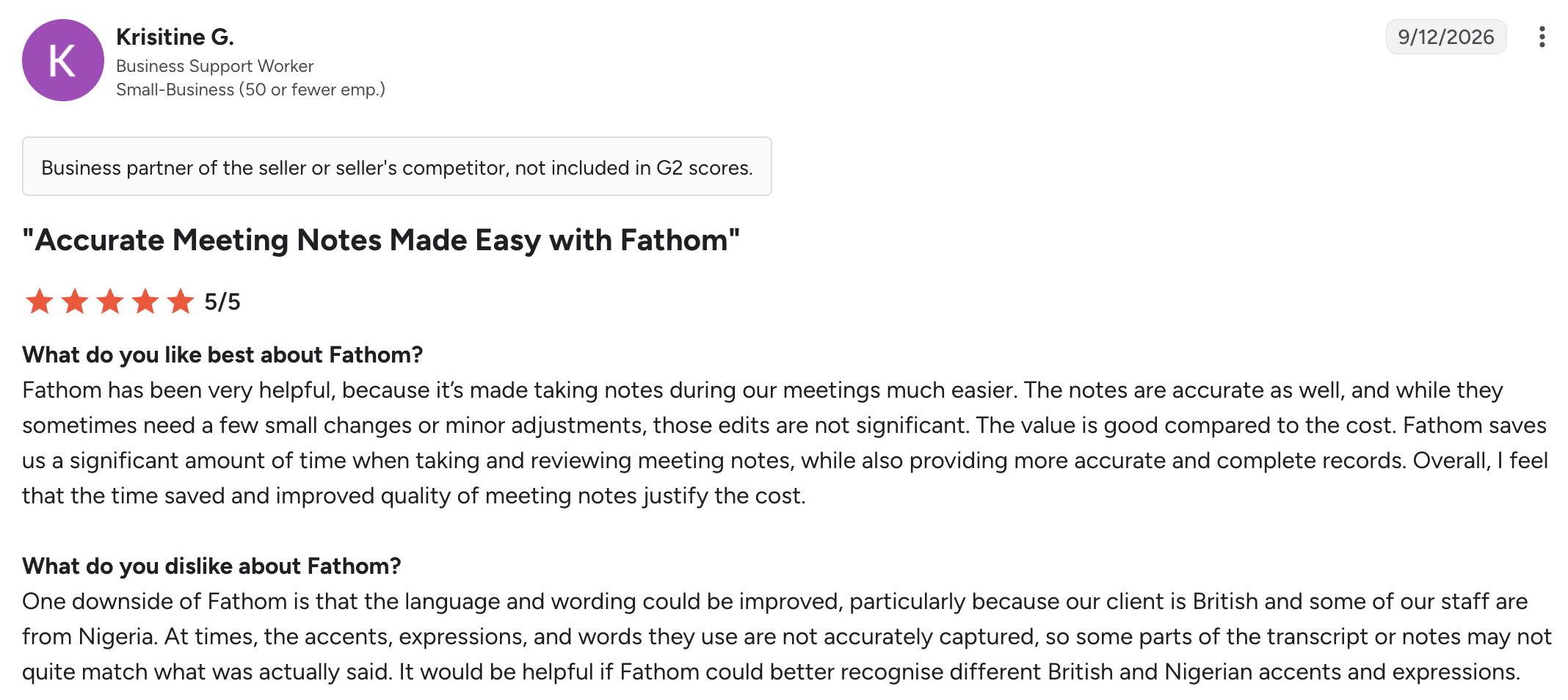
Fathom’s top-listed G2 review also points to accurate notes and time savings, while noting that non-American accents can sometimes require more heavy-handed corrections.
Best for: people who want to record and transcribe a high volume of meetings without immediately paying.
Price: Fathom has a permanent free individual plan with unlimited recordings and transcriptions.
3. Fireflies.ai: best for sales and team workflows
Fireflies is built for teams that want meeting information to go beyond the transcript. It supports live transcription, summaries, search across conversations, and workflows that push meeting information into the other tools a team uses.
Fireflies’ Chrome extension can capture a meeting without the Fireflies bot, while bot-free desktop capture works across Zoom, Google Meet, Microsoft Teams, Slack Huddles, WhatsApp, FaceTime, Discord, phone calls, and in-person conversations.
There is a tradeoff to that flexibility. In system-audio mode, Fireflies does not save a separate audio or video file, and speakers appear as generic labels rather than named participants.
That breadth makes Fireflies particularly useful for sales and operations teams that need meeting information to reach a CRM or be accessible to a broader team.
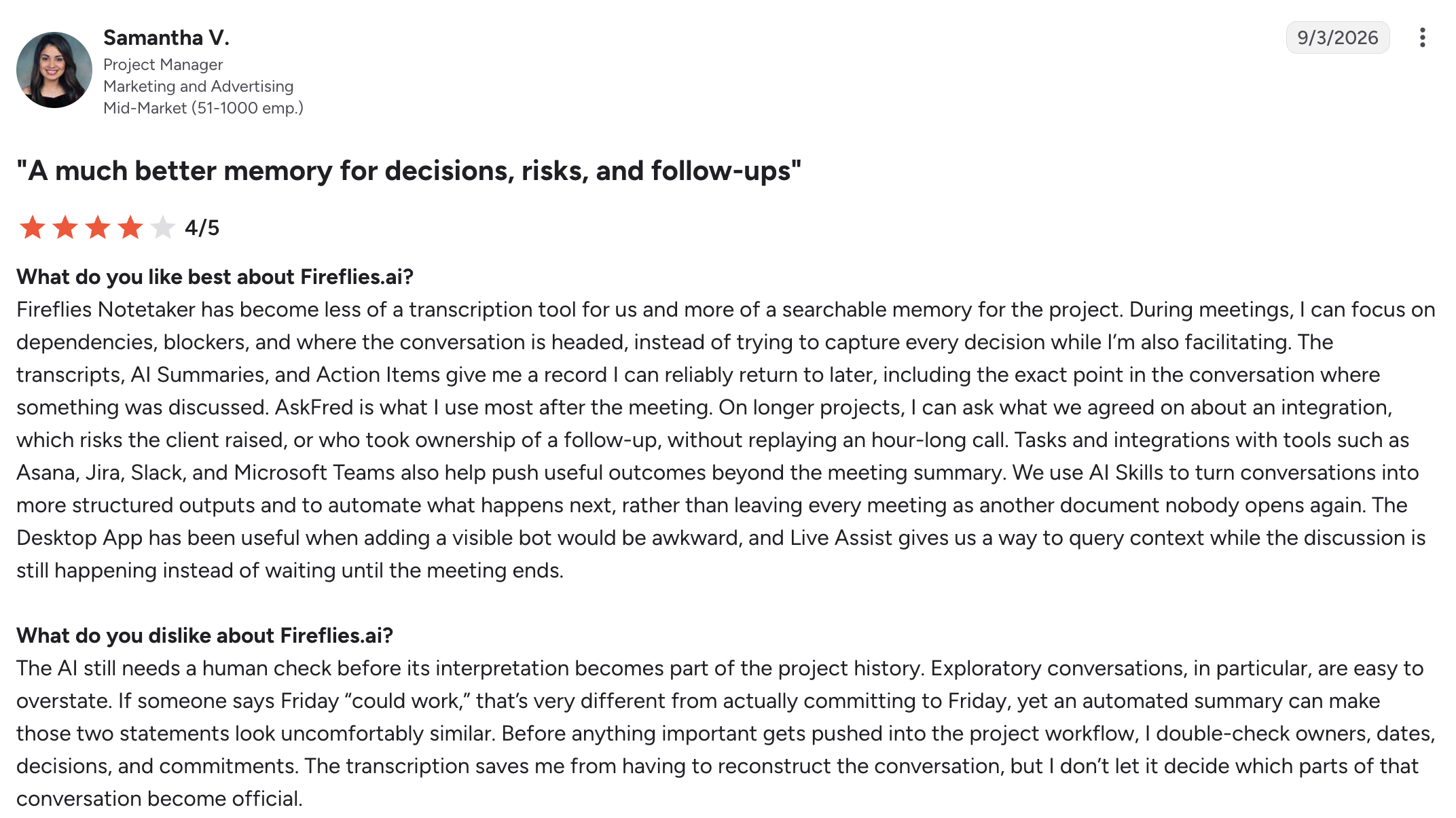
For example, Fireflies’ most recent G2 reviewer describes using it as a searchable record for project decisions and follow-ups, but also double-checking AI summaries before relying on them.
The free plan includes 400 minutes of storage per team and 20 AI credits. New Free accounts get three meeting transcriptions by default; enabling Auto-Join unlocks unlimited transcription for eligible meetings.
Fireflies may be unnecessarily complex for some teams.
Best for: sales, operations, and larger teams that want meetings feeding a broader workflow.
Price: Free is $0. Pro is $18 per seat per month, or $10 per seat per month billed annually.
4. Otter.ai: best for working from a live transcript
Otter centers its bot-free AI experience around live transcription. You can follow the conversation as text, return to the original audio, search the transcript, and work from the meeting record as the conversation happens.
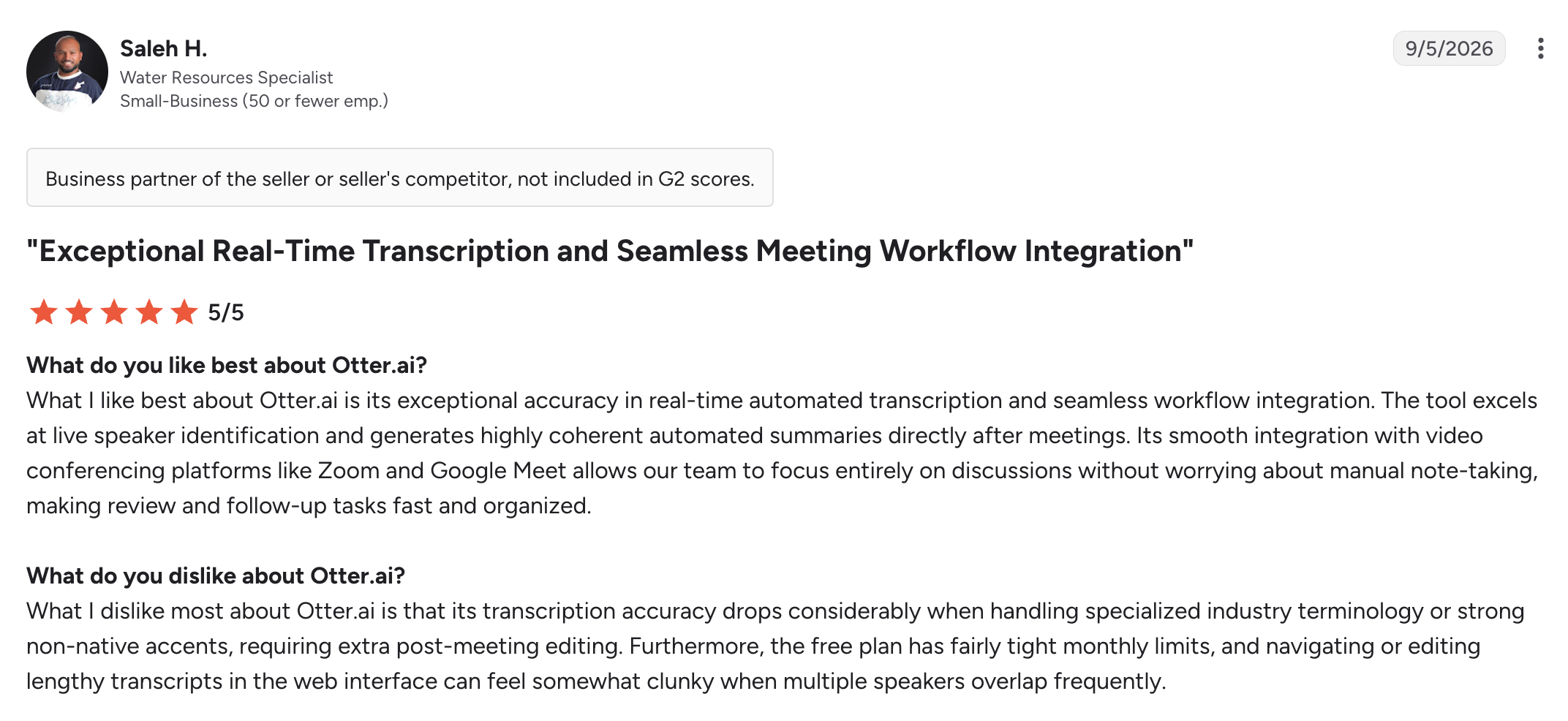
Otter’s top-listed G2 review praises its live transcription and speaker identification. However, the same reviewer flags specialized terminology, strong non-native accents, and overlapping speakers as areas that can require more editing.
Otter also offers botless recording through its Mac and Windows desktop apps. It still supports its meeting assistant, so the desktop recording workflow is the option that keeps another participant out of the call.
The desktop experience also supports automatic recording, meeting reminders, and automatically ending a recording when the meeting finishes.
The free Basic plan includes 300 transcription minutes per month, which can run out quickly if you have more than an hour of meetings each week.
Otter's meeting tools also extend to mobile, which is useful if you regularly move between a laptop and phone.
Best for: people who want the transcript to be useful during the meeting, not just afterward.
5. Krisp: best for noisy calls and in-person meetings
Audio quality shapes what an AI notetaker can capture, and Krisp has spent years working on the audio itself. Its AI Notetaker records without a bot and supports online and in-person meetings alongside Krisp's noise cancellation and accent-conversion technology. The Core plan includes unlimited AI note-taking and noise cancellation, along with multilingual transcripts, AI chat, integrations, and limited daily accent conversion.
In a coworking space, for example, a microphone may pick up the person beside you, background conversations, and the coffee machine along with your meeting. Krisp can work on cleaning up the call as well as documenting it.
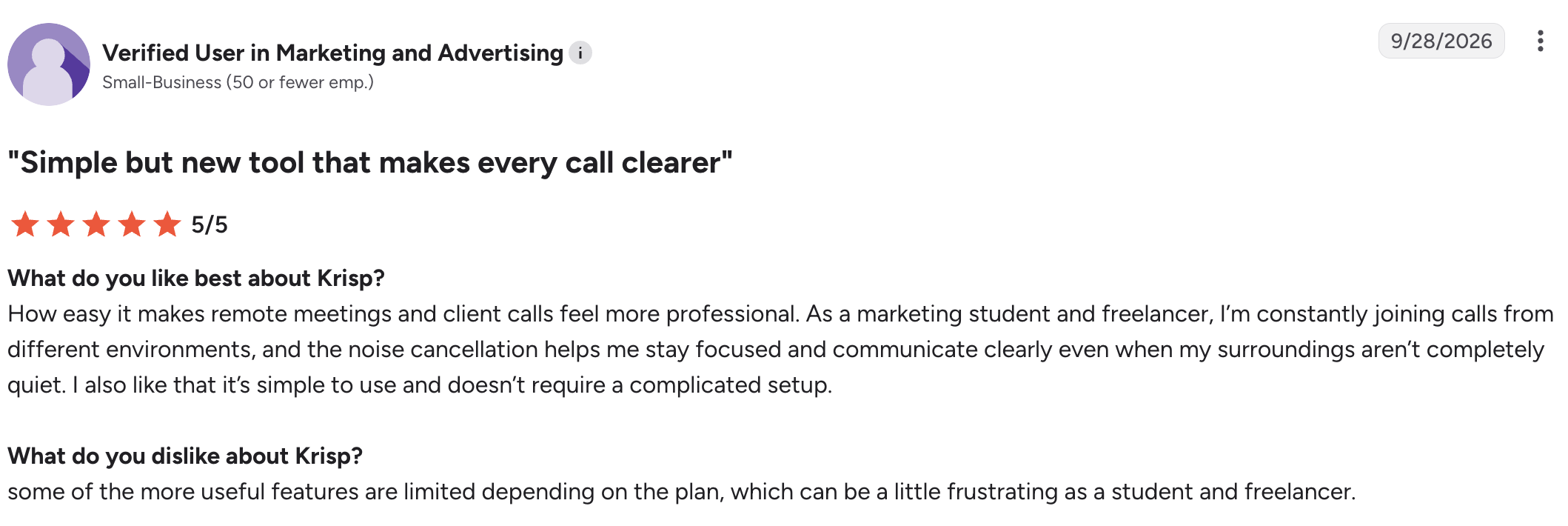
Krisp’s most recent G2 review centers on the same advantage, with the reviewer using its noise cancellation while joining calls from different environments and noting that some features depend on the plan.
Krisp also offers MCP integration with tools including Claude, ChatGPT, and Cursor.
If your priority is the meeting record itself, especially speaker identification, transcript refinement, and searching across past conversations, Wispr is the better fit.
Best for: people who take calls in noisy environments or want noise cancellation and AI notes in the same product.
Price: Core is $16 per user per month, or $8 per user per month on the annual rate currently shown by Krisp.
6. Granola: best for people who want AI around their own notes
Granola approaches the meeting from the notepad rather than the transcript. It records without adding a bot to the call, and the experience is built around notes you write yourself.
Granola also has an Apple Watch app for meetings away from your laptop, giving it broader support for conversations that don't happen at a desk. You can start a note from your wrist, then have it sync back to Granola on your iPhone, Mac, or Windows computer afterward.
Granola now supports named speaker tags on Google Meet on Mac and Windows and on Zoom on Mac. On other desktop workflows, transcripts can still fall back to “Me” and “Them.”
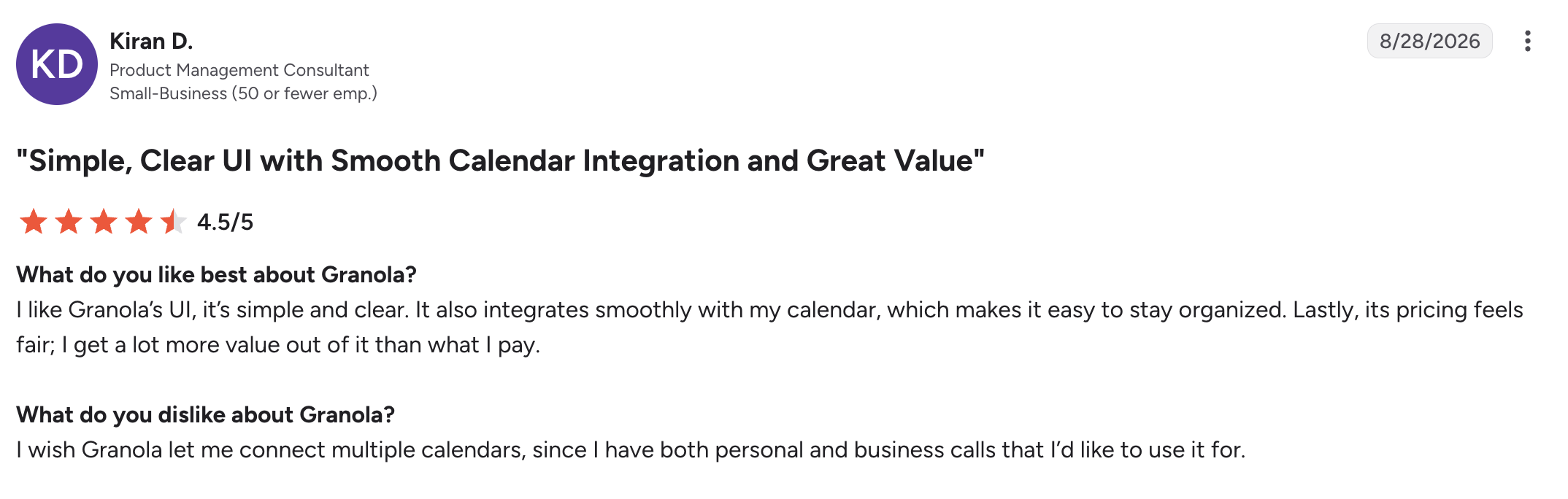
Granola’s top-listed G2 review praises its simple interface and calendar integration, but the reviewer wishes it supported multiple calendars.
On Granola’s free Basic plan, MCP can query notes from the last 30 days.
Best for: people who already take active notes and want AI to fill in the gaps.
Where Wispr and Granola differ
One of the clearest differences between Granola and Wispr Flow Notetaker is speaker identification, and the gap widens with every person who joins the call. A transcript with two talkers is relatively easy to follow even when labels are imperfect. Add a client team, three coworkers, and overlapping conversation, and you may have to reconstruct who said what.
Wispr's post-meeting process uses both your calendar and additional context with transcript-wide speaker correction to improve attribution. Comparatively, Granola relies heavily on your calendar and little else. For a closer look, read our comparison of Granola and Wispr Flow.
If you like writing during meetings and want AI to improve what you capture, Granola's approach makes sense. If you want the transcript itself to become a more reliable record of who said what, switch from Granola to Wispr Flow Notetaker.
Which bot-free AI notetaker is best for you?
- If you need the most reliable record of who said what, choose Wispr Flow Notetaker. Its post-meeting transcript refinement and speaker identification are designed around making the final record more useful, and the free plan lets you test it on your own meetings before paying. That matters most when names, terminology, and decisions need to remain useful long after the call ends.
- If free recording volume is your priority, choose Fathom. Its individual free plan includes unlimited recordings and transcriptions.
- If your meetings need to feed a sales or operations workflow, choose Fireflies. It has more machinery around CRM workflows, team search, and conversation intelligence.
- If you want to work from the transcript while the meeting is happening, choose Otter. Live transcription sits at the center of its experience.
- If you take calls in noisy environments or need to capture in-person meetings, choose Krisp. Its noise cancellation and audio processing give it an advantage when the recording environment itself is the problem.
- If you already take active notes and want AI to fill in the gaps, choose Granola. Its experience is built around the notes you write yourself, with broader support for conversations away from your desk through its mobile and Apple Watch apps.
How to test an AI notetaker before switching
Pick a meeting with three or four speakers. Include an unfamiliar surname, an internal acronym, and a number you would care about getting wrong. If you take in-person meetings, put the laptop where it normally sits rather than directly in front of whoever is talking.
Then compare the outputs. Did both tools capture the full conversation? Are the names and terminology right? Can you tell who made each decision? Does the summary preserve the important details? Can you find the answer again later without replaying the recording?
If you're testing a free AI notetaker, check which one “runs out” first. A free plan may cap minutes, meetings, storage, history, summaries, or AI features. The price alone doesn't tell you how much of the product you can actually use.
Try Wispr Flow Notetaker: get set up in minutes
Frequently asked questions
What is the best bot-free AI note taker?
Wispr Flow Notetaker is our top pick for a bot-free AI note taker because it combines device-based recording with post-meeting transcript refinement and speaker identification. It also lets you ask questions across meetings and use your notes in AI tools through MCP. The free plan includes Notetaker, speaker identification, meeting questions, and MCP access.
Fathom is a better fit when unlimited free recording volume matters most, Fireflies goes deeper on team workflows, Otter emphasizes live transcription, Krisp adds audio processing, and Granola has broader mobile coverage.
Is there a free AI notetaker without a bot?
Yes. Wispr Flow Notetaker has a free plan with bot-free meeting recording, speaker identification, questions across meetings, and MCP access. Free accounts have a weekly meeting limit.
Fathom also has a permanent free individual plan with unlimited recordings and transcriptions, although some advanced AI features are limited. Fireflies and Otter have free plans with their own storage, summary, or transcription limits.
What does bot-free mean for an AI notetaker?
A bot-free AI notetaker captures meeting audio without adding an automated participant to the call. Most do this by recording audio from your device. That keeps the participant list clear and allows some bot-free notetakers to record in-person conversations without a meeting link.
Is a bot-free AI notetaker more private?
Not necessarily. “Bot-free” tells you how the meeting is captured. It does not tell you where the audio is processed, how long recordings are retained, whether data can be used for model training, or who can access the transcript.
Check the privacy and retention policies of any notetaker you use, whether or not it sends a bot into the meeting.
Do you need permission to use a bot-free AI notetaker?
Removing the bot does not remove your responsibility to follow recording laws, company policies, and consent requirements. Wispr Flow can post a consent message directly in supported meeting chats so participants are notified and can be asked for permission. For in-person meetings, you need to notify participants and obtain any required consent yourself.
Can a bot-free AI notetaker record an in-person meeting?
Some can. A device-based notetaker can use the computer or phone microphone to capture people in the room instead of relying on audio from a video-call platform. Wispr and Krisp support in-person meeting workflows, and Fireflies, Fathom, and Granola also offer ways to capture in-person conversations.
Someone six feet from the laptop in a noisy conference room is a harder transcription problem than someone speaking directly into a headset.
Which bot-free AI notetakers have free plans?
Wispr, Fathom, Fireflies, Otter, and Granola all offer free plans, although they cap different parts of the experience. Wispr caps weekly meeting usage on Free; Fathom offers unlimited recordings and transcriptions but limits advanced AI features; Fireflies gives new Free accounts three meeting transcriptions by default, with unlimited transcription available when Auto-Join is enabled; Otter limits monthly transcription minutes; and Granola's free Basic plan includes AI meeting notes with limited meeting history.
Krisp currently offers a seven-day free trial rather than a permanent free AI Notetaker plan.
Is Wispr Flow Notetaker free?
Yes. Wispr Flow's free plan includes Notetaker, speaker identification, questions across meetings, and the ability to use meeting notes in Claude, ChatGPT, and other AI tools through MCP. There is a weekly meeting limit; Pro increases meeting usage and retention.
Try Wispr Flow Notetaker for free.
Can I move my meeting history to a new notetaker?
Wispr Flow Notetaker can import past meetings from Granola and Otter, including exported notes, summaries, and transcripts. There is currently no corresponding Wispr import for Fathom or Fireflies.ai, so keep the old account available as an archive if you switch from either one.
Does Wispr Flow Notetaker keep recordings of my meetings?
Meeting audio uploaded to Wispr is kept for seven days and then deleted automatically. Transcripts and summaries can remain longer depending on your retention settings or until you delete the meeting.


