
Best dictation apps for accents and multilingual users

A good dictation app should understand the way you speak, including your accent, the languages you use, and the words that don't always appear in a standard dictionary. Every recognition error means another correction, another interruption, and less time saved. At Wispr Flow, we've built our dictation tool with multilingual speakers in mind, combining support for more than 100 languages with accent-aware speech recognition, personalized vocabulary, and shared dictionaries for international teams.
Consider a company with employees in Paris, São Paulo, New York, and Berlin. Some employees dictate in their native languages, others speak English with regional accents, and everyone needs the software to recognize customer names and internal terminology.
We've also researched alternatives, including Typeless, Superwhisper, and Aqua Voice, drawing on product documentation, reviews, and community discussions about accent recognition and multilingual dictation.
Best dictation apps for accents and multilingual users, compared
Supporting a language doesn't guarantee accurate recognition of every accent or effortless switching between languages. Here's how six dictation apps compare on the features that matter most to multilingual users.
How Wispr Flow recognizes different accents and languages
Speech recognition isn't equally accurate for every speaker, even when they're using a supported language. Someone speaking English with a Scottish or French accent may pronounce certain words differently from what a recognition model expects. A system can understand both English and French yet occasionally mistake French-accented English for French.
We've invested in language-specific recognition models, accent-aware processing, and vocabulary personalization to reduce those errors.
1. Speech recognition designed for different accents
Wispr Flow supports dictation in more than 100 languages, including English, Spanish, French, German, Portuguese, Japanese, Arabic, and Korean.
Our engineering research on multilingual speech recognition describes two parts of our approach:
- Language-specific engine selection: Wispr Flow chooses from different speech-recognition engines based on the language being dictated.
- Accent-aware processing: Accent-confidence scoring helps compare potential transcriptions and select the most likely result when pronunciation makes recognition difficult.
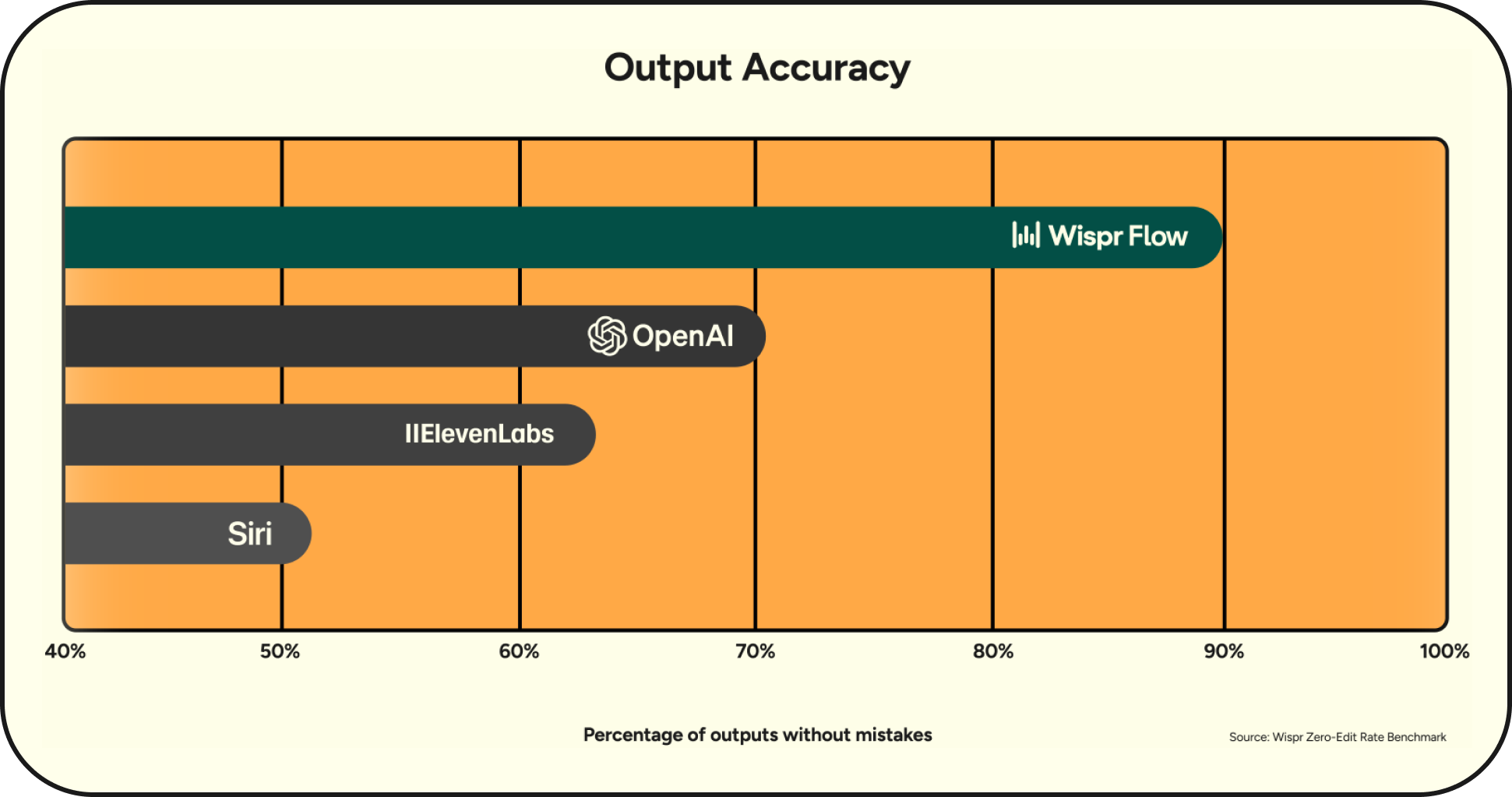
In internal testing, choosing the best recognition engine for each language cut transcription error rates by more than half. This is our own benchmark, not a head-to-head comparison with every competing app.
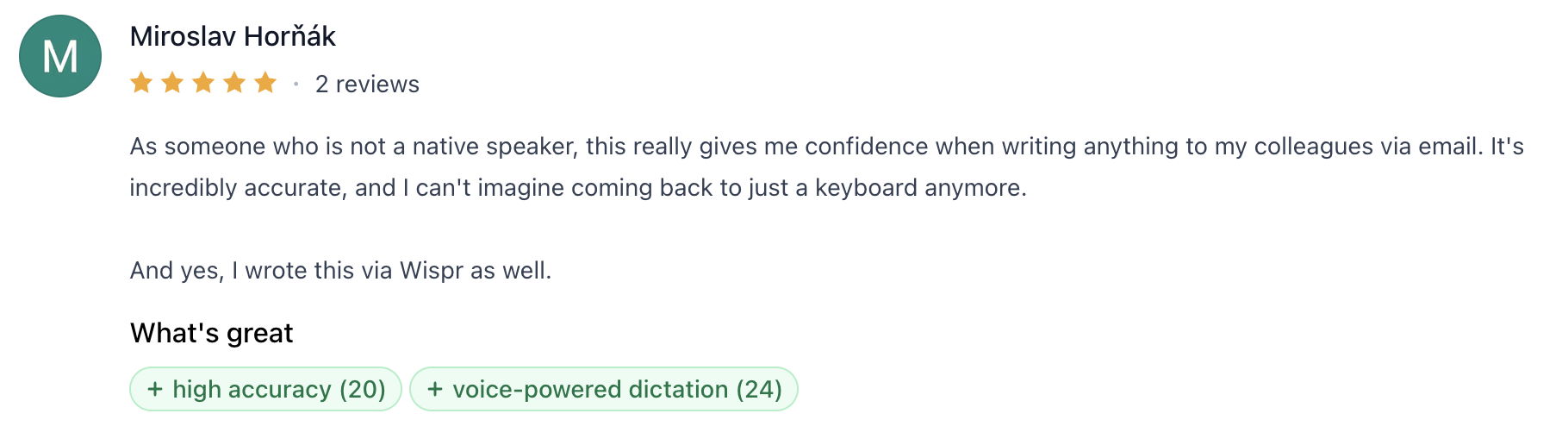
In a five-star Product Hunt review, Miroslav Horňák, a non-native English speaker, credits Wispr Flow's accuracy with giving him more confidence when writing emails to colleagues.
2. Automatic language detection and regional formatting
A multilingual professional might dictate a message in Spanish, reply to an email in English, and work on a French document later that afternoon. Repeatedly changing language settings gets old quickly, especially when dictation is supposed to save time.
Wispr Flow offers several controls:
- Automatic language detection: Wispr Flow identifies one language per dictation and can recognize 23 languages directly from speech, including English, Spanish, French, German, Japanese, Arabic, and Hindi. Languages such as Hebrew, Ukrainian, and Urdu require manual selection.
- Language preferences: Users can select their preferred languages on Mac, Windows, iOS, and Android. Auto-detect is available on Mac, Windows, and iOS, but not Android.
- Hinglish: A dedicated option supports mixed Hindi-English dictation, writing Hindi in Latin letters while formatting English normally. Hinglish must be selected manually.
- Regional formatting: British English retains spellings such as "colour," Swiss German follows its preferred spelling conventions, and French punctuation uses French spacing rules.
One limitation matters for speakers who mix languages mid-sentence. Selecting English and Spanish doesn't enable automatic Spanish-English code-switching within a single dictation.
See Wispr Flow's multilingual settings for the full list of supported languages and detection options.
3. Personal dictionaries for unfamiliar names and terminology
A customer's surname, an internal project name, or a technical acronym can be repeatedly replaced with a more familiar word. If you have to correct that word every time you dictate it, the software isn't saving you much work.
Our personal dictionary lets users add names, industry terms, and preferred spellings. You can also set corrections for words the software consistently gets wrong.
On Mac and Windows, Wispr Flow can automatically add certain corrected words to the dictionary when the auto-learn words setting is enabled. Users can review and remove learned entries.
A personal dictionary won't resolve every accent-related error, but it can stop the same unfamiliar word from causing trouble in every email.
4. Shared dictionaries for international teams
Individual vocabulary corrections become a larger issue when dozens of employees use the same names and terminology. A company with teams in several countries may have employees dictating in different languages, but they still need to write the same customer names, product names, and internal project terms correctly.
Wispr Flow for Business helps teams manage that shared vocabulary.
- Shared dictionaries: Make preferred spellings of customer names, technical terms, and internal terminology available to teammates.
- Shared snippets: Reuse frequently needed messages, responses, and text.
- Centralized administration: Manage users, billing, and team access.
- Usage analytics: See how employees are adopting Wispr Flow without reviewing their individual dictations.
Aqua Voice also offers shared dictionaries and business administration features. Companies evaluating either platform should look closely at how their employees' languages are supported, along with the applications and vocabulary their teams use every day.
What users say about other dictation apps and accent recognition
Finding out how well an app understands different accents takes more digging than reading a list of supported languages.
We reviewed product documentation, App Store feedback, Reddit discussions, and public feature-request forums. These reports give us useful examples of what works and what frustrates users, although they aren't controlled accuracy tests.
Typeless: When automatic language detection chooses the wrong language
Typeless supports more than 100 languages and advertises mixed-language dictation, including the ability to combine languages in a single recording. It also includes a personal dictionary and AI cleanup for repetitions, filler words, and spoken corrections.
In an App Store review, a user describing a slight European accent reported that Typeless repeatedly misunderstood words. More unusually, it occasionally inserted Mandarin into their text, despite the user neither speaking nor enabling Mandarin.
Other reviewers on the same page describe accurate everyday transcription with little grammar correction needed afterward.
The software advertises the ability to handle mixed languages without manual configuration, but an incorrectly identified language can introduce errors the speaker never made.
Superwhisper: More recognition models, more control over the results
Superwhisper supports more than 100 languages and offers several speech-recognition models, including options that run locally. Users can configure AI modes and instructions to change how dictated text is processed.
In a 2026 Reddit discussion about non-English dictation, a Hungarian-speaking user praised Superwhisper's choice of models. The picture becomes more complicated in Superwhisper's language-detection feedback forum. One user reported successfully switching between English and Russian. Others described German being transcribed as English, unwanted translations appearing in the output, and the inconvenience of maintaining separate language-specific modes.
Superwhisper gives users substantial control over how their speech is recognized and processed, including the ability to choose different recognition models and configure custom AI modes.
Wispr Flow takes a more standardized approach, with automatic speech processing, personalized vocabulary, and formatting designed to work across everyday applications. Its advantage becomes more compelling for international teams: shared dictionaries help employees use consistent spellings for customer names and internal terminology, while centralized administration makes wider adoption easier to manage. Superwhisper offers enterprise features too, but Wispr Flow's shared vocabulary workflow gives businesses a specific reason to choose it.
Aqua Voice: Accent-focused recognition and specialized vocabulary
Aqua Voice has put substantial effort into speech recognition for technical vocabulary. Its proprietary Avalon model is designed to recognize specialized terms, and its language documentation explicitly describes a focus on accented speech and multilingual speakers.
Aqua supports dozens of languages, including English, Spanish, French, Arabic, Cantonese, Japanese, Korean, Portuguese, and Vietnamese. Its feature set includes automatic language detection, personal dictionaries, text replacements, and custom instructions.
According to Aqua's documentation, Auto-Detect identifies the language for each dictation session. Like Wispr Flow, it doesn't document automatic word-by-word switching between languages within a sentence.
Aqua has also published an AISpeak benchmark measuring recognition of AI jargon and domain-specific terms, with an emphasis on coding terminology. Its own results show strong performance, although they don't independently establish how Avalon compares across regional accents.
There's less publicly attributable feedback directly comparing Aqua's multilingual recognition across accents than there is product documentation. Its shared dictionaries also put it in the conversation for business-wide deployments.
Gboard: Recognition problems when two languages are enabled
Gboard offers voice typing through the Android keyboard. On Pixel 6 and later devices, including supported Fold and Tablet models, advanced voice typing can automatically recognize English, French, German, Italian, Japanese, and Spanish.
The built-in experience is convenient for mobile messaging, but multilingual settings have caused problems for some users.
- In a 2026 Reddit discussion, a user reported that enabling English and French caused voice typing to pause or miss words.
- In another discussion about recognition accuracy, someone said Gboard had previously understood their non-native English accent well but had begun making frequent errors.
Gboard remains a practical free option for mobile dictation. Its advanced language detection is also tied to supported Pixel hardware, so two Android users may have very different experiences with what appears to be the same keyboard.
Apple Dictation: The problem may be your terminology, not your accent
Apple Dictation comes built into macOS and supports multiple configured languages. Users can change languages through the dictation interface or keyboard shortcuts.
That makes it straightforward to dictate a document in French, select English, and move on to an email. The switching is manual, but there's no additional subscription or software to manage.
A 2024 Reddit discussion about Mac dictation raises another issue. A participant responding to a recommendation for Apple's built-in dictation said they'd initially suspected their accent was causing recognition errors. After using it more, they found that ordinary words were generally understood, while technical terminology caused repeated mistakes.
Apple Dictation is an easy free option to try on a Mac. Its manual language switching and limited dedicated vocabulary customization become more noticeable when dictation is used throughout a professional workday.
Find dictation software that understands your voice
A dictation app that understands your language may still struggle with your accent, and one that recognizes your accent may stumble over unfamiliar names. The user experiences above show why it's useful to look beyond advertised language counts.
At Wispr Flow, we've invested in accent-aware recognition, multilingual processing, and personal vocabulary to reduce those errors. Our business offering extends the same approach to international teams through shared dictionaries and centralized management.
Try Wispr Flow for free with the languages and terminology you use every day. For a broader software comparison, see our guide to the best dictation apps.