All Apps

How to use speech-to-text in GitHub

Github

Dictate commit messages, issues, and code reviews with Flow, streamlining your GitHub workflow.

Common use cases for dictation in Google Docs

Students and professionals can quickly draft essays, reports, and other documents by dictating their thoughts and ideas.

Capture detailed notes during meetings or conferences without the need to type, ensuring nothing is missed.

Speak your mind and start providing more effective feedback for your team using google docs.

Record ideas and thoughts on the fly, making it easier to capture spontaneous creativity.

4x faster
 than typing

Voice that finally works is here. Flow lets you create, code, message, and write at the speed of thought, 4x faster than your keyboard.

Keyboard

45 wpm

I’m getting started with the project, How would you like to set up the file. Here are a few options. I’m getting started with the project, How would you like to set up the file. Here are a few options. I’m getting started with the project, How would you like to set up the file. Here are a few options. I’m getting started with the project, How would you like to set up the file. Here are a few options. I’m getting started with the project, How would you like to set up the file.
Wispr Flow UI frame
Flow

220 wpm

I’m getting started with the project, How would you like to set up the file. Here are a few options. I’m getting started with the project, How would you like to set up the file. Here are a few options. I’m getting started with the project, How would you like to set up the file. Here are a few options. I’m getting started with the project, How would you like to set up the file. Here are a few options. I’m getting started with the project, How would you like to set up the file. Here are a few options. I’m getting started with the project, How would you like to set up the file. Here are a few options. I’m getting started with the project, How would you like to set up the file. Here are a few options. I’m getting started with the project, How would you like to set up the file. Here are a few options.
Mac
Windows
iPhone
Android

On-the-go or at your desk

Flow is the only voice-to-text tool that works on any app or device, with your personal dictionary, style, and settings synced everywhere.

Download for free
Wispr Flow UI frameWispr Flow in workspace
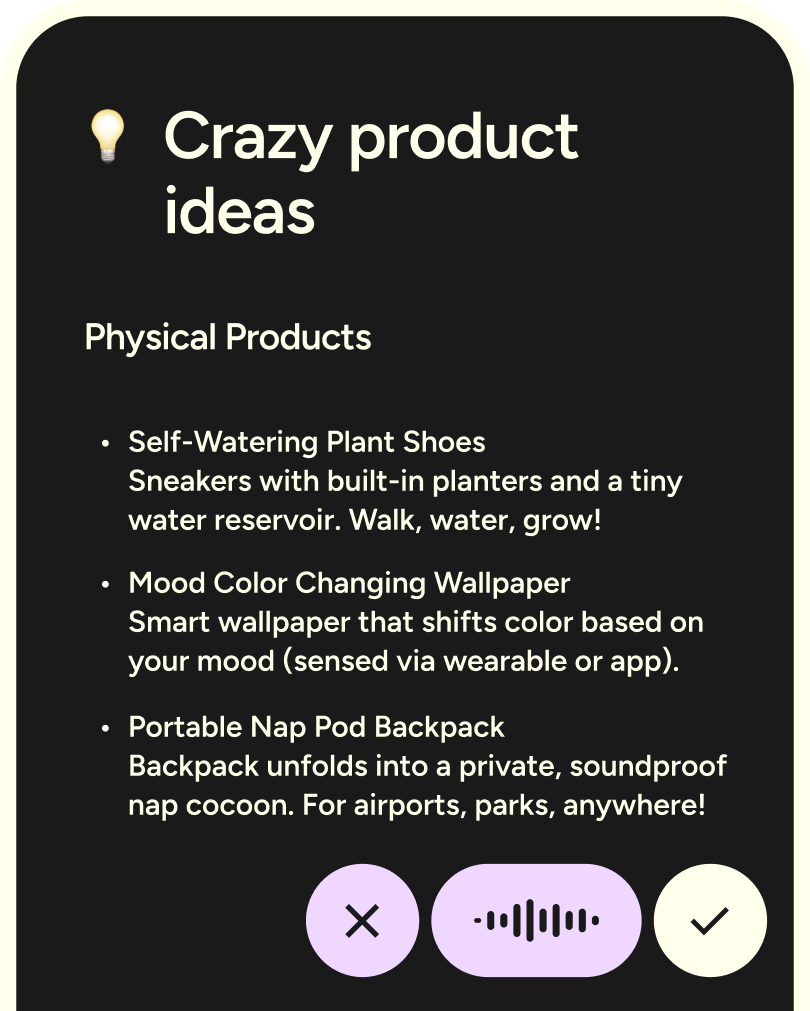
Wispr Flow crazy product ideas
Wispr Flow Android app screenshot
Mac
Windows
iPhone
Android

Flow, wherever you work

Flow runs natively on Mac, Windows, iOS, and Android. Use it at your desk for deep work, and on your phone when you're on the move.

More apps

Cursor

Refine prompts, craft ideas, and streamline your workflows in Cursor with dictation.

Discord

Send messages, manage servers, and engage with communities on Discord using voice.

Jira

Create tickets, update sprints, and add comments in Jira using voice commands for faster workflows.

Linear

Create and manage Linear tasks using your voice to stay on track with what matters.

Stack Overflow

Answer questions, draft posts, and engage with the community on Stack Overflow using natural voice input.

Warp

Execute terminal commands and scripts using your voice to make CLI feel natural.

VS Code

Write code, navigate files, and streamline projects in VS Code with dictation.

Canva

Dictate your Canva text fields with natural speech for faster, polished designs.

Replit

Build, run, and debug code collaboratively in Replit using dictation for faster development across languages.

Lovable

Design lovable developer experiences by dictating better docs, CLIs, and onboarding flows—faster and more naturally.

v0

Generate production-ready UIs in v0 by dictating component ideas and layout instructions—no manual coding needed.

Bolt

Spin up internal tools and dashboards in Bolt using dictation to describe workflows, fields, and logic in plain English.
Person headshot

Start flowing

Effortless voice dictation in every application:
4x faster than typing, AI commands and auto-edits.

Available on Mac, Windows, iPhone, and Android.
Free for 14 days.