All Apps

How to use speech-to-text
in Figma

Figma

Write out comments

Common use cases for dictation in Google Docs

Students and professionals can quickly draft essays, reports, and other documents by dictating their thoughts and ideas.

Capture detailed notes during meetings or conferences without the need to type, ensuring nothing is missed.

Speak your mind and start providing more effective feedback for your team using google docs.

Record ideas and thoughts on the fly, making it easier to capture spontaneous creativity.

4x faster
 than typing

Voice that finally works is here. Flow lets you create, code, message, and write at the speed of thought, 4x faster than your keyboard.

Keyboard

45 wpm

I’m getting started with the project, How would you like to set up the file. Here are a few options. I’m getting started with the project, How would you like to set up the file. Here are a few options. I’m getting started with the project, How would you like to set up the file. Here are a few options. I’m getting started with the project, How would you like to set up the file. Here are a few options. I’m getting started with the project, How would you like to set up the file.
Wispr Flow UI frame
Flow

220 wpm

I’m getting started with the project, How would you like to set up the file. Here are a few options. I’m getting started with the project, How would you like to set up the file. Here are a few options. I’m getting started with the project, How would you like to set up the file. Here are a few options. I’m getting started with the project, How would you like to set up the file. Here are a few options. I’m getting started with the project, How would you like to set up the file. Here are a few options. I’m getting started with the project, How would you like to set up the file. Here are a few options. I’m getting started with the project, How would you like to set up the file. Here are a few options. I’m getting started with the project, How would you like to set up the file. Here are a few options.
Mac
Windows
iPhone
Android

On-the-go or at your desk

Flow is the only voice-to-text tool that works on any app or device, with your personal dictionary, style, and settings synced everywhere.

Download for free
Wispr Flow UI frameWispr Flow in workspace
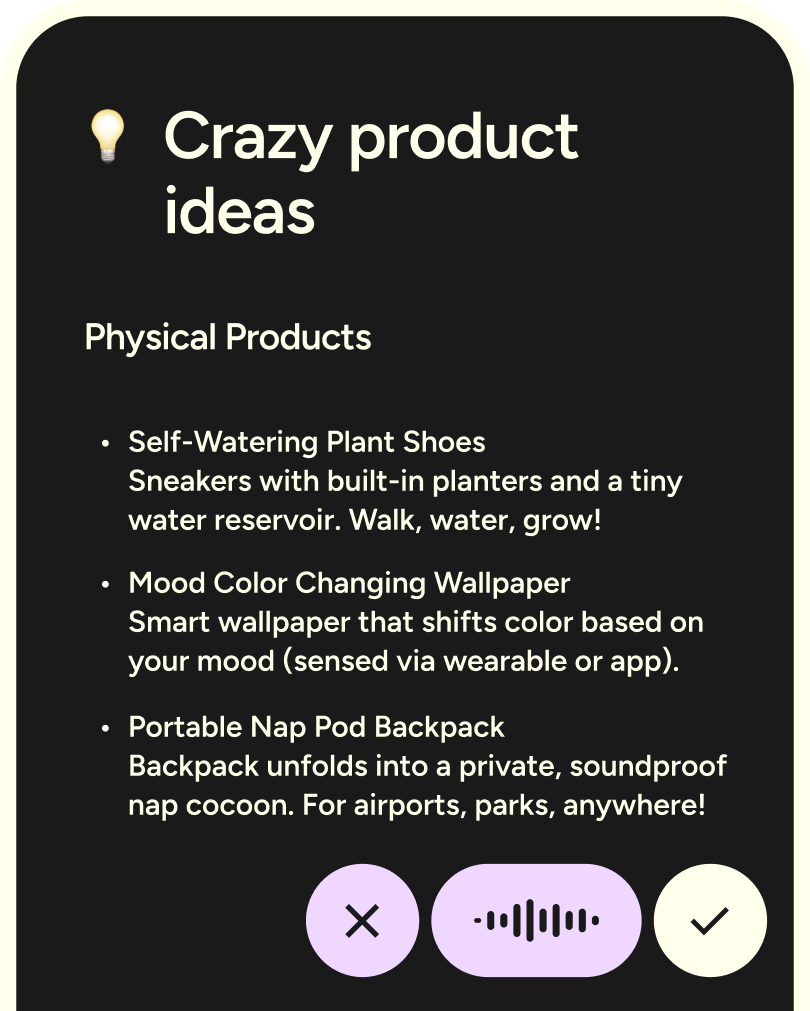
Wispr Flow crazy product ideas
Wispr Flow Android app screenshot
Mac
Windows
iPhone
Android

Flow, wherever you work

Flow runs natively on Mac, Windows, iOS, and Android. Use it at your desk for deep work, and on your phone when you're on the move.

More apps

No items found.
Person headshot

Start flowing

Effortless voice dictation in every application:
4x faster than typing, AI commands and auto-edits.

Available on Mac, Windows, iPhone, and Android.
Free for 14 days.