




The 14 Best AI Tools for Marketing Agencies in 2026

There's a right way and a wrong way to use AI as a marketing agency. When used correctly, it can take repetitive work off your team's plate, from client recaps to monthly reports, so a small team can keep up with a growing roster. But AI also introduces the temptation to cut corners and ship work that only looks finished, all of which can hurt your output and jeopardize client relationships.
The tools below are the ones we'd trust inside a multi-client agency, each picked for how well it holds up across different brands and accounts. After the list, we cover the risks AI introduces at the agency level and how to keep your team from leaning on it in ways that hurt the work.
Our picks for the best AI tools for digital marketing agencies
- Wispr Flow: dictating client emails and recaps, plus bot-free meeting notes
- Jasper: on-brand copy across many client voices
- Canva: on-brand design without the design queue
- Adobe Firefly: AI images that are safer for commercial client work
- Planable: social content calendars and client approvals
- GWI Spark: audience research for pitches and strategy
- Semrush: SEO, PPC research, and AI search visibility
- Optmyzr: running paid search across client accounts
- Descript: turning one video into many pieces of content
- Gamma: fast first drafts of decks
- Zapier: automating handoffs between client tools
- AgencyAnalytics: automated, branded client reporting
- Better Stack: catching client site outages first
- ChatGPT or Claude: a separate AI workspace for each client
How we chose these tools
Wispr Flow publishes this article, and we put our own tool first. The rest of the picks draw on real-world experience from members of our team and professional colleagues at agencies. In some cases, we also relied on social listening, third-party reviews, and video demos. We looked for tools that hold up across multiple clients, in pricing, permissions, and how much unbilled work they take off an account manager's plate.
14 AI tools for marketing agencies
1. Wispr Flow
Agency work is mostly writing that nobody bills for, from client emails and Slack updates to call recaps and freelancer briefs. Wispr Flow turns that into talking. You speak, and its AI strips out filler words and fixes grammar as you go, so what lands in Gmail or Google Docs is ready to send.
For agencies, the win is speed without context-switching. An account manager can dictate a recap the minute a client call ends, while the details are fresh. Add client brand names and industry jargon to your dictionary once, and they come out right. On Mac and Windows, Wispr Flow Notetaker also records client calls and creative brainstorms without a bot joining, then uses AI to turn them into summaries with next steps.
On G2, creative director James C. says he uses Flow all day for emails, reports, and code, with his one gripe being that it needs an internet connection (read his review).

2. Jasper
Jasper is built around brand voice, and agencies have dozens of them. Its AI learns each client's voice from writing samples and style rules, then applies it to every draft it generates. A junior writer can produce a first draft that already sounds like the client, which means fewer review rounds for your senior people. Note that the Pro plan caps you at two brand voices; Business is unlimited.
On G2, digital marketing manager Rajesh K. says Jasper gets ad and social copy started fast, though variations can turn repetitive and generic (read his review).

3. Canva
Canva's brand kits keep each client's fonts and logos one click away. Pro includes five kits, and Business raises that to 100. Its Magic Studio AI tools build on those kits. Magic Design generates layouts using a client's brand assets, and Magic Write drafts copy in the client's saved Brand Voice. Your strategists and social managers can turn out on-brand resizes without waiting in the design queue.
4. Adobe Firefly
Firefly is Adobe's generative AI: type a prompt to create an image, or use Generative Fill in Photoshop to extend or edit an existing shot. Agencies carry extra legal exposure, because you're delivering assets to clients who may run them in paid campaigns. Adobe trained its own Firefly models on licensed and public-domain content, which makes it an easier answer when a client's legal team asks where an image came from. Enterprise plans add IP indemnification. Adobe's apps now offer third-party models too, so tell your team to stick to Adobe's own for client work.
5. Planable
There's no shortage of social media management tools. Sprout Social, Hootsuite, Agorapulse, and Buffer all schedule posts and track engagement well. We picked Planable because it's built around the part of social that eats agency time: getting client sign-off.
Two things make it a better fit for agencies than the big names. First, Planable charges per workspace, starting at $33 a month. Each client gets its own workspace, so adding a freelancer or a client reviewer doesn't raise your bill. Second, clients approve posts on a preview of the actual post, while your internal comments stay hidden from them. That replaces long email chains about which version is final.
Planable's built-in AI writes captions from a prompt or from an uploaded image or video, suggests new post ideas based on what a client has already published, and drafts replies in the social inbox. It's included on every plan with no usage limits. Analytics and the social inbox cost extra per workspace, though, and if community management is your main social service, Agorapulse's inbox is stronger.
6. GWI Spark
Every new client means getting smart on a new audience, fast. Spark is GWI's AI insights agent. You ask questions in plain English, like "How do Gen Z gamers in the UK discover new brands?", and it answers with statistics drawn from GWI's consumer survey data across more than 50 countries. It also works inside ChatGPT and Claude.
For agencies, that gives pitches real data to stand on. You can show a prospect where their buyers actually spend time, and because Spark's answers come from real survey responses, they're easier to defend in a client meeting. You'll need a GWI subscription to use it.
7. Semrush
Every agency ends up choosing between Semrush and Ahrefs. For agency work, pick Semrush.
Ahrefs has the better backlink data and the friendlier interface, and SEO purists love it for good reason. But it has no white-label reporting and no paid search research. Semrush covers SEO, PPC, and local search in one platform, and its white-label reports let you send clients branded PDFs on a schedule. That breadth matters when your clients don't all buy the same services.
On the AI side, Semrush Copilot reviews your projects and flags issues and opportunities, and its AI visibility tools track how brands show up in answers from ChatGPT, Perplexity, and Google's AI Overviews. It's also strong for new business, since you can build a credible competitor audit for a prospect in an afternoon. Choose Ahrefs only if your agency is SEO-only and lives on link building.
8. Optmyzr
If paid search is a big part of your agency's work, Optmyzr is the tool most PPC teams end up in. It's built for managing Google, Microsoft, Amazon, and Meta ads across many client accounts, with budget alerts and rules you can build once and reuse for similar clients.
Its AI assistant, Sidekick, explains what's driving a performance shift in an account and pulls the key takeaways out of reports, which makes prepping for a client call much faster. It also suggests ad headlines and descriptions based on account data. Optmyzr itself recommends reviewing Sidekick's suggestions before applying them, and you should.
9. Descript
One client webinar can become a dozen social clips and a podcast episode. Descript makes that repurposing cheap enough to offer as a standard service, since you edit video by editing the transcript. Its AI co-editor, Underlord, takes instructions in plain English. Ask it to strip filler words from a full recording or pull the most shareable moments into clips, and it does the edit for you.
10. Gamma
Agencies make a lot of decks, from pitches to quarterly business reviews. Gamma's AI builds the whole first draft, layout and design included, from a prompt or pasted meeting notes, and you can rewrite or restyle slides with a prompt. It saves so much time on recurring decks that it also made our list of the best productivity tools for marketing agencies.
11. Zapier
Every client uses a different mix of tools, and your team ends up as the human glue between them. Zapier's AI Copilot lets you describe a workflow in plain language and builds the automation for you. You can also add AI steps inside a workflow, for example to summarize a client request before it's routed to the right account channel. For more ideas, see these marketing tasks you should already be automating.
12. AgencyAnalytics
Monthly reporting is one of the most repetitive jobs in any agency. AgencyAnalytics pulls client data into branded dashboards and uses AI to draft performance summaries, and its Ask AI feature lets you question a client's campaign data in plain English. Your account managers get a written first pass to edit, which frees them to add the insight clients actually pay for.
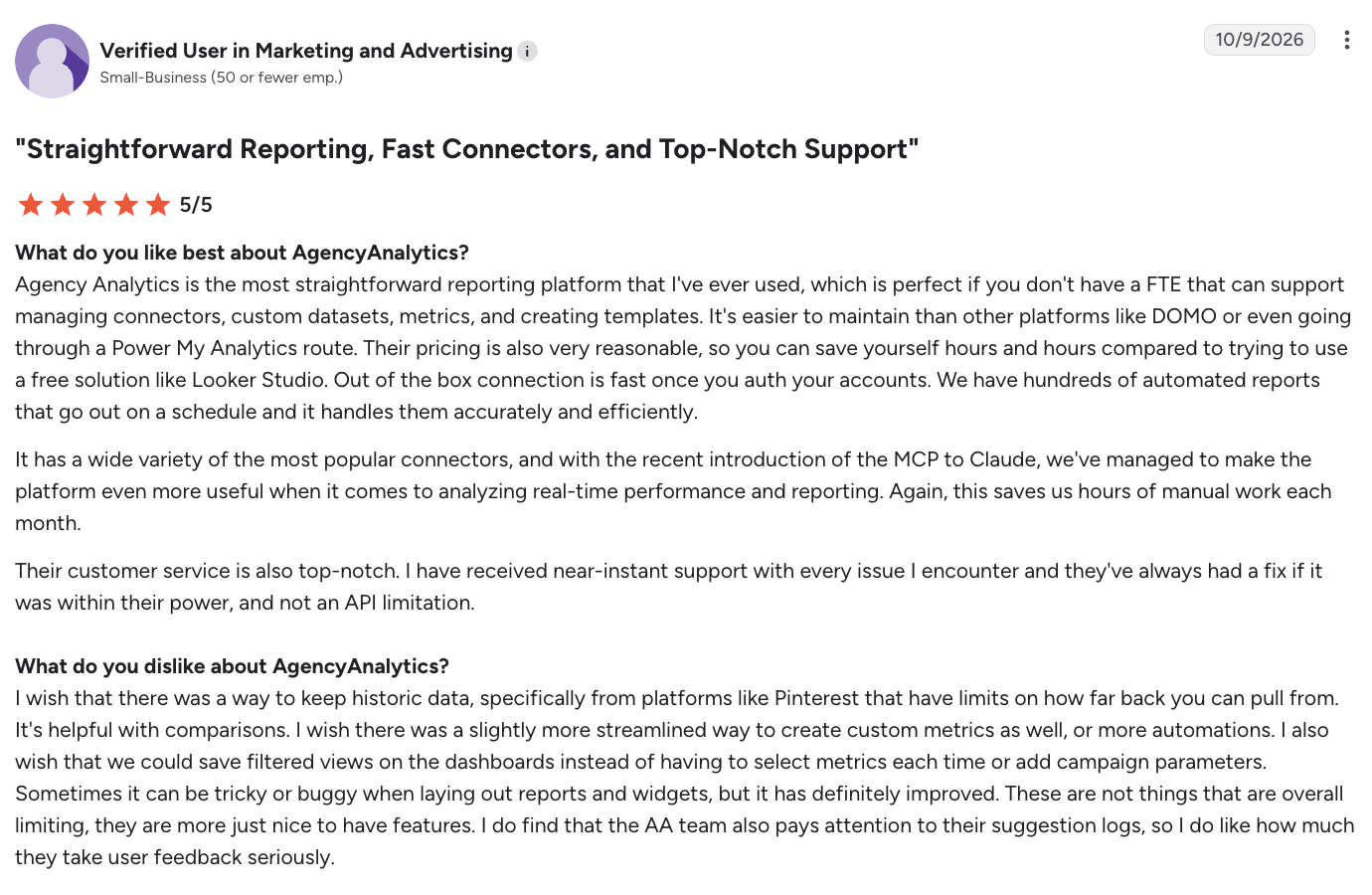
One agency reviewer on G2 says their team sends hundreds of automated client reports through it on a schedule (read the review).
13. Better Stack
When a client's website goes down, the agency that flags it right away looks like a hero. But the clock is ticking: let too much time pass before you notice, and suddenly you seem out of the loop. Better Stack monitors client sites around the clock and alerts your team by Slack or phone call, so you hear about an outage before the client does. You can also give each client a branded status page on their own subdomain.
AI is built into the incident workflow. Its AI SRE investigates outages alongside your team and suggests likely root causes, but never takes action without your approval. Afterward, it drafts the post-mortem from the incident timeline and Slack history, so you can send the client a clear explanation while it's still fresh. For agencies that build or host client websites, it's an easy way to prove you're always on the ball.
14. ChatGPT or Claude
Your team is almost certainly using one of these already, which is why it's last. The question is whether they're using it well. These assistants can draft, research, and summarize for any client, but the agency-specific value is in project workspaces: give each client its own space loaded with brand guidelines and past campaigns. Your team stops re-explaining the client every time they open a new chat. In ChatGPT, turn on project-only memory so one client's context stays out of another's.
The real risk of AI tools at the agency level
The biggest risk comes from people taking the shortcut when nobody is checking.
AI makes it easy to produce something that looks finished, like a blog post that reads fine or a report summary that sounds confident. When deadlines stack up across ten accounts, "looks finished" becomes very tempting to ship.
Everything starts to sound the same
When every writer on your team prompts the same tool the same way, your clients start getting the same content. The phrasing gets generic, and the brand voices you were hired to protect blur together. Clients notice, even if they can't say exactly what changed.
Errors ship with confidence
AI tools state wrong statistics and made-up sources in the same confident tone as correct ones. One fabricated stat in a client's thought-leadership post can do more damage to the relationship than a missed deadline.
Client data ends up where it shouldn't
An employee pastes a client's unreleased product roadmap or customer list into a free AI tool to "summarize it quickly." Depending on the tool's settings, that data may be retained or used for training.
Many client contracts prohibit exactly this, and most employees never read those contracts. One careless paste can turn into a breach-of-contract conversation, which is a hard way to lose a retainer.
Skills erode
Junior staff who lean on AI from day one never learn to write a brief or spot a weak headline. In two years, you have a team that can operate tools but can't evaluate their output, and that matters most when the tool gets something subtly wrong.
The value story falls apart
Clients pay agencies for expertise. If they find out a deliverable was a lightly edited AI draft, they'll start asking why they're paying agency rates.
How to keep AI from making your team lazy
The fix is to make the shortcut harder than doing the work properly.
- Write an AI policy people can actually follow. Keep it to one page: which tools are approved, what client data can never go into them, and which deliverables need a human-written core.
- Use AI for first drafts only. AI can start the work, but a person has to finish it by adding something the tool couldn't, like a client-specific insight or a point of view. If an editor can't tell what the human contributed, it goes back.
- Require a fact-check on every claim. Any statistic or quote gets verified against the original before it reaches a client, with source links attached in the draft.
- Lock down client data. Use business or team plans that don't train on your data, and turn off retention where you can. Check each client contract for AI clauses, and tell your team plainly what stays out of AI tools entirely.
- Keep juniors doing some work by hand. Have newer staff write their first briefs and headlines without AI, then compare against an AI version. That's how they learn what good looks like and where the tool falls short.
- Measure quality alongside output. AI will inflate volume, so track revision rounds, client satisfaction, and how often work gets sent back. If those slip while output climbs, your team is shipping shortcuts.
- Be honest with clients. Tell them how you use AI and where human expertise comes in. Framed well, it's a selling point, with faster turnaround on routine work and more senior attention on strategy.
The bottom line
The best AI tools for marketing agencies clear away busywork so your people can focus on the work clients pay for. Start with the tasks that eat the most unbilled time, like writing and reporting, and build guardrails before you scale.
If your team spends its day typing out emails and client notes, Wispr Flow is the easiest place to start. Dictate your next client recap and see how much faster it goes.
Frequently asked questions
What are the best AI tools for a digital marketing agency?
Most digital marketing agencies get the most value from a mix of a voice dictation tool like Wispr Flow, a general AI assistant like ChatGPT or Claude, a design tool like Canva, an SEO platform like Semrush, and a bot-free notetaker like Wispr Flow Notetaker for client calls. The right stack depends on which services you sell and where your team loses the most time.
How should a marketing agency start using AI tools?
Pick one or two high-volume, low-risk tasks first, such as internal communication or meeting notes. Write a short AI policy before rolling tools out to the whole team. Then expand to client-facing work once you have review steps in place.
Is it safe to use AI tools with client data?
It can be, if you use business plans that don't train on your inputs and you follow each client's contract terms. Before connecting any AI tool to client work, check whether it trains on your data and how long it keeps it. Look for SOC 2 compliance and admin controls. Wispr Flow's Teams and Enterprise plans, for example, let admins switch off model training across the whole organization. And never paste confidential client information into free consumer tools without checking their data policies first.
Should a marketing agency tell clients it uses AI?
Yes. Being upfront builds trust and lets you frame AI as a way to deliver faster and spend more senior time on strategy. Clients tend to react badly when they discover AI use on their own.


