

How to redeem your code
Four short steps. Takes about two minutes. At the end you'll have extra months of Wispr Flow Pro on your machine.
1. Download & install Wispr
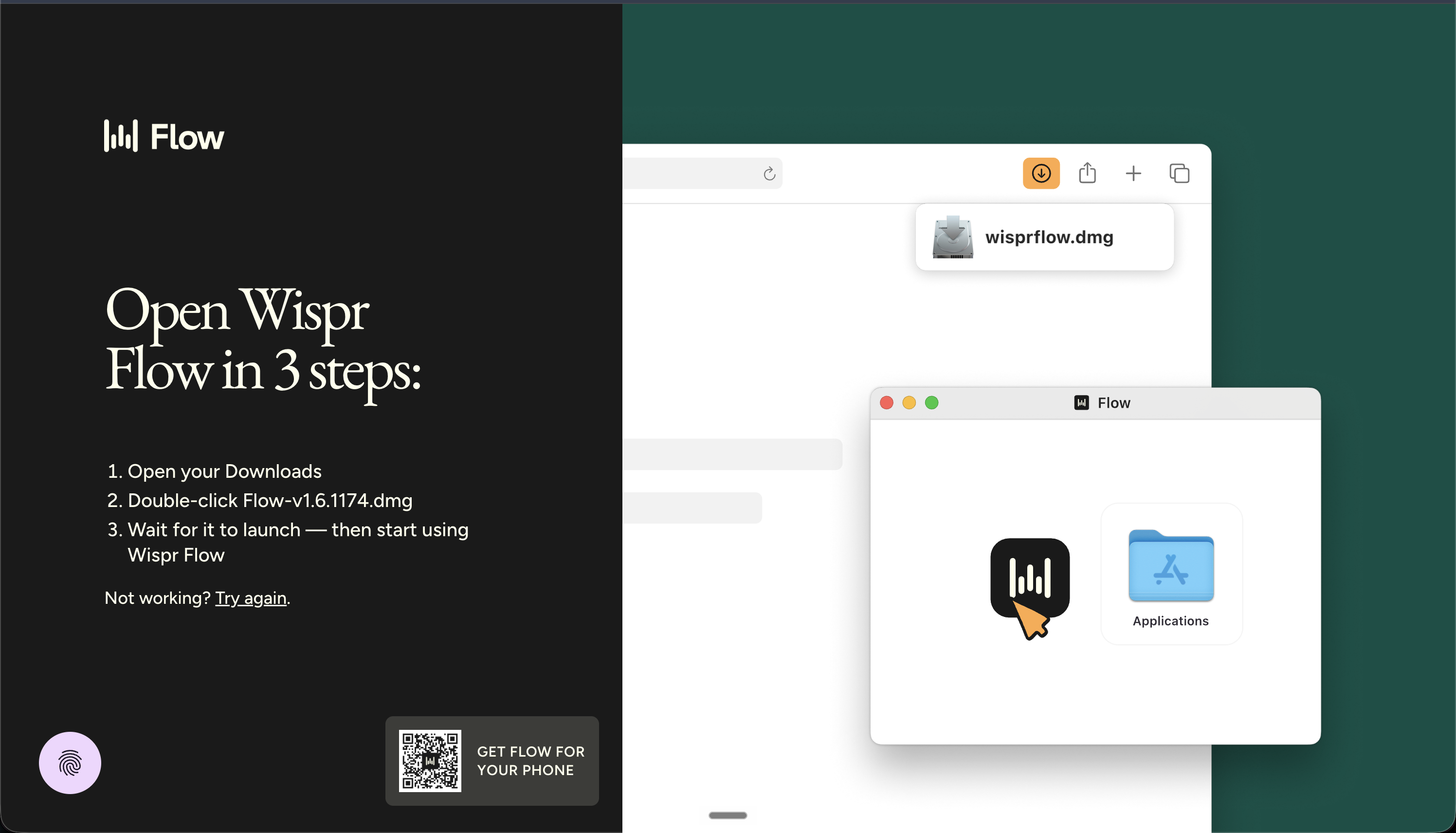
Grab the desktop app from wisprflow.ai/downloads. Pick the build for your machine (macOS / Windows), run the installer, then complete the short onboarding inside the app.
2. Open Settings → Plans and Billing
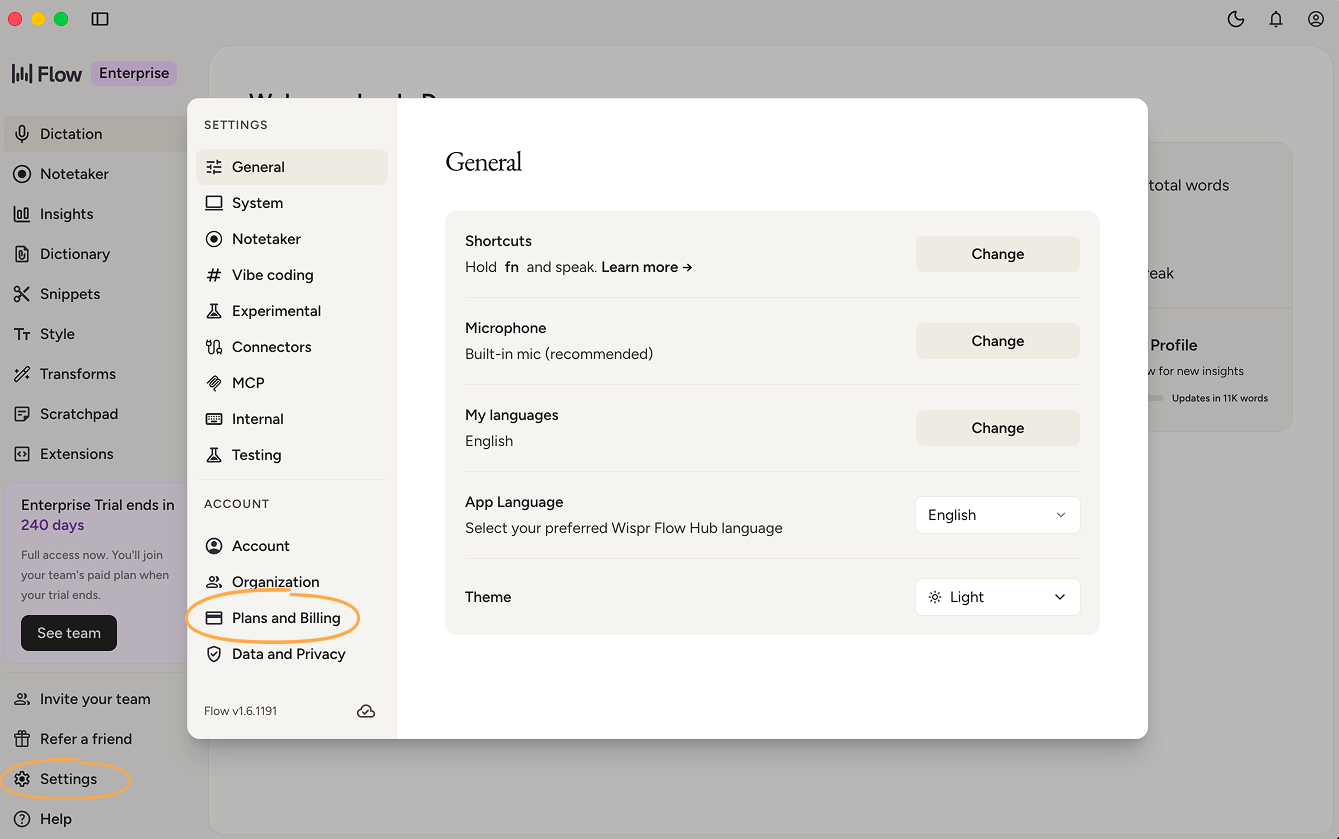
Click the Wispr icon → Settings. In the left sidebar under Account, choose Plans and Billing.
3. Click "Add promo code" and paste the code
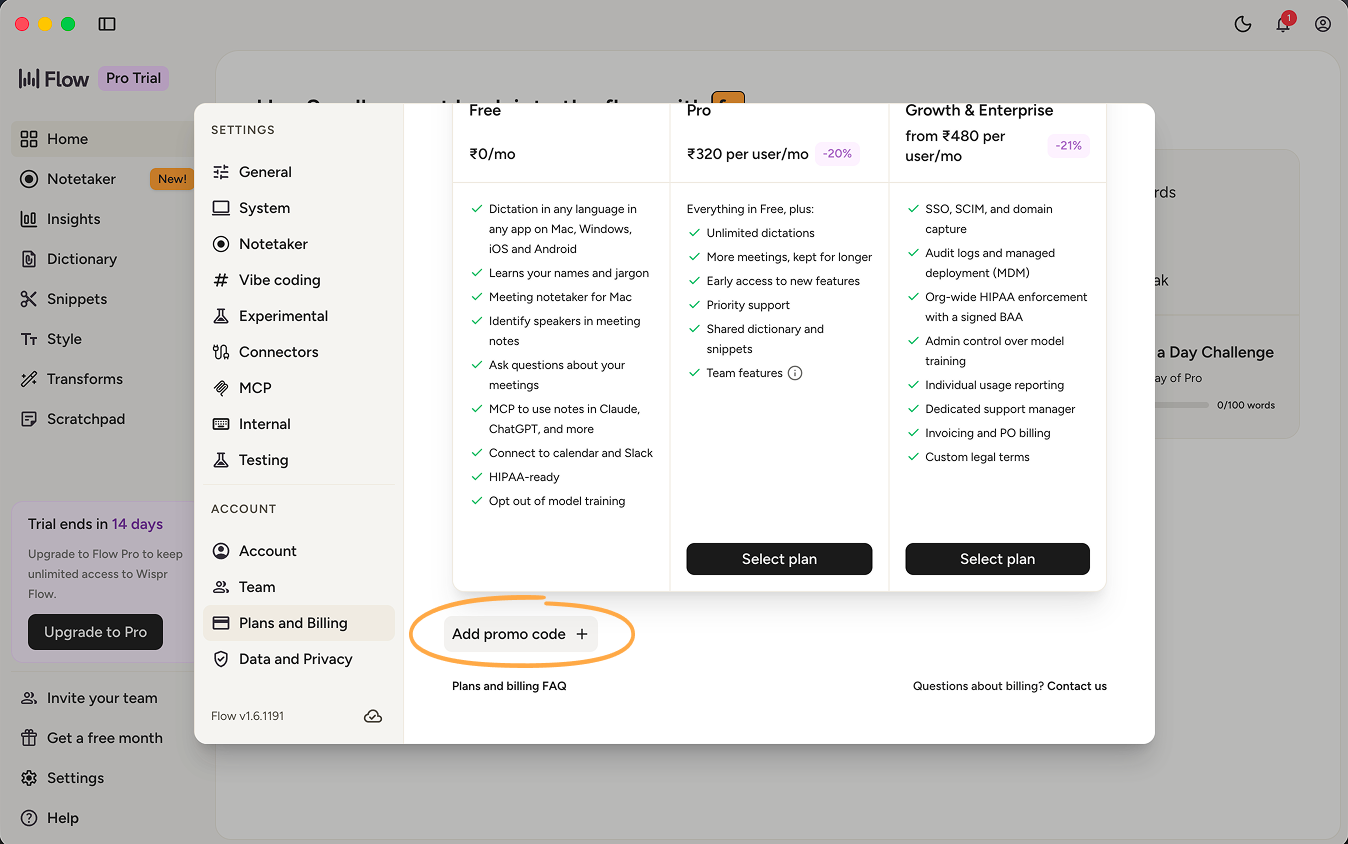
Scroll down to the bottom of the Plans and Billing panel. You'll see a small Add promo code + link — click it, paste your code, and submit. The "Flow Pro" plan should activate immediately for extra months.
4. Add card details — then cancel any time
Wispr will ask for credit-card details before activating the promo. This is required, even though you're not being charged for the extra months.
Stuck? Drop a note to support@wisprflow.ai and we'll sort it out fast.